


Visual Money Manager is a comprehensive portfolio management tool created to help investors track their assets. This program can manage different currencies and portfolios, as well as create a wide variety of reports. The software shows you the weight of each stock in your portfolio and helps you analyze whether your transactions were executed at the right time. Transactions can be imported via CSV file. If you use MetaStock, you can also run a MetaStock plug-in through Visual Money Manager.
After you have installed the program, you can begin setting it up. You will see four different tabs: securities, portfolios, x-rates and transactions. If you click on the portfolio tab, you can begin to construct your portfolios. By double-clicking on the name of a portfolio, you can add securities to it. The current price is imported from Yahoo! Finance.
Users can choose what sector their security is in, as well as specify the security size, region, style and more. If you want to add a note under a specific transaction, you can do that as well. Not only can you enter market-related transactions, but any other income or expense.
Visual Money Manager lets you view your asset allocation through a pie chart. Users can input their target asset allocation and see the difference between where they are and where they want to be. Snapshots of your asset allocation can be saved day-to-day, so you can go back through archives of previous asset allocations for analysis. The Visual Money Manager Assistant, which helps you set up buy and sell orders, comes with the program.
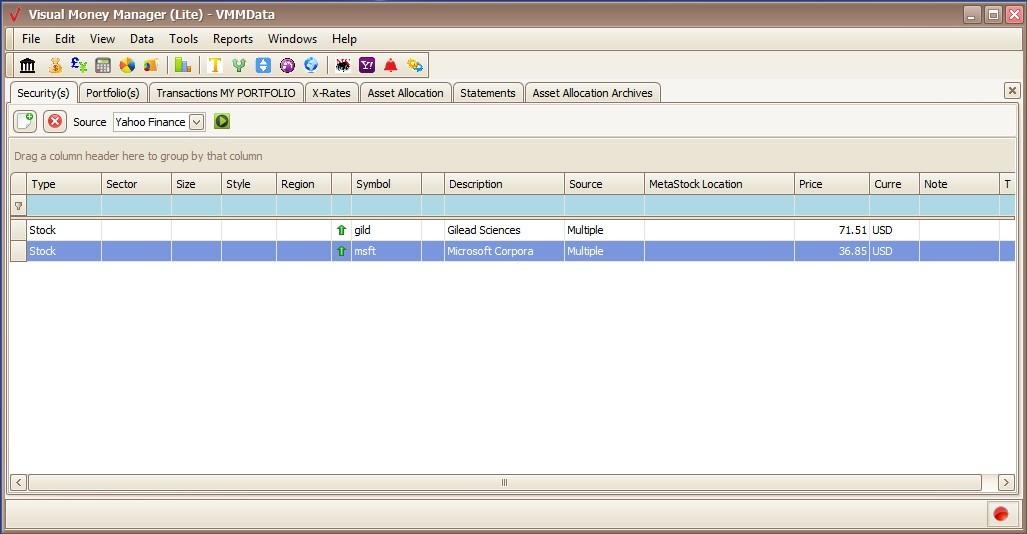
The program allows for customization in terms of column arrangement and appearance, as well as different layout options. Unfortunately, the trial option had some features disabled. It isn’t as easily understood as other programs right off the bat, but you can use the help tutorial and watch demo videos—available on YouTube—as well.
Visual Money Manager
https://www.aaii.com/download-library/download?DL_ID=789
System Requirements: Windows XP/Vista/7/8
Size: 27.97MB
Price: Free to try (30-day trial), $99 to buy
Discussion
FREE REPORT

Paul Del Balso from NY posted over 12 years ago:
Monk Jr. Monk from TX posted over 12 years ago:
J Morlock from NJ posted over 12 years ago:
You need to log in as a registered AAII user before commenting.
Log InCreate an account