


App allows you to set specified price levels for a variety of assets and receive push notifications on your mobile device when your price is hit.
Free
Call Levels is an application for investors who are interested in receiving financial notifications for free. The app alerts users when their stocks, commodities or other assets hit the specified price, set in advance. Additionally, it provides a market snapshot of the security.
 Once you download the app, you will have to create an account, which is a quick and painless process. To create an account you need a username, first and last name, email address and password. After your account is created you’ll be ready to start creating your first call level.
Click the “add” button located toward the bottom of the screen (accompanied by a plus sign). A separate page then prompts you to select a market: equities, indices, forex or commodities. Once chosen, you will have to “select your asset” by scrolling through the options for the chosen market. For example, for indices, you will see the S&P 500, NASDAQ 100, Dow Jones industrial average, Nikkei (Japan), Bovespa (Brazil), Nifty, S&P 500 Value, S&P 500 Growth, 3M EuroDollar (Interest Rates). Although the choices are limited in the indices category, I think this relatively new app will be adding additional index options in time.
When you select equities, you then have to type in a ticker. While the stock selection was limited, it is likely that new securities will be added in the future. If you don’t see a particular stock you want to add, there is a button at the bottom of the screen that you can click to request Call Levels to add the ticker you want. In my personal experience, they responded within 48 hours and had the ticker added. After you’ve chosen the stock you would like to set a call level for, you will be brought to a separate screen that prompts you to pick a call level. Use your touch screen to slide the bar up or down to set your desired price level (or double-tap the bar to manually input a desired price level), then click “set call level” at the bottom of the app.
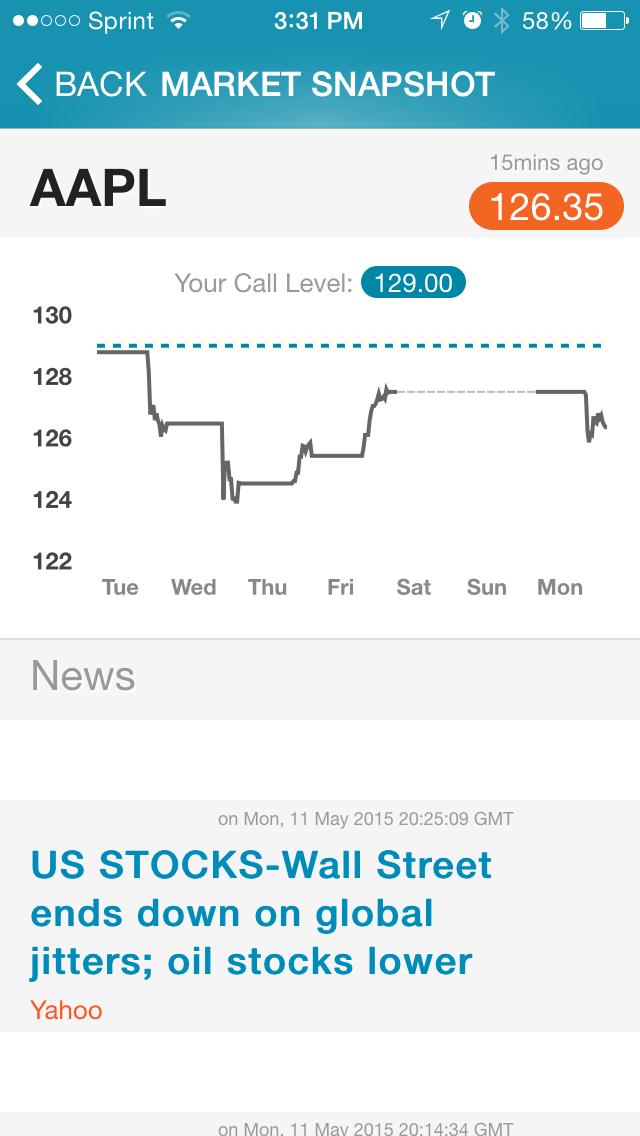
When viewing a set call level, you can get a market snapshot of the particular security by simply clicking on the call level. A market snapshot includes a price chart of the security’s price over the last week, and the price chart itself includes a horizontal line corresponding to the set call level. Recent news items appear below the price chart. Nothing on this screen is overly complicated—there are no intricate price charts or charting capabilities—and it is overall very simple and easy to understand.
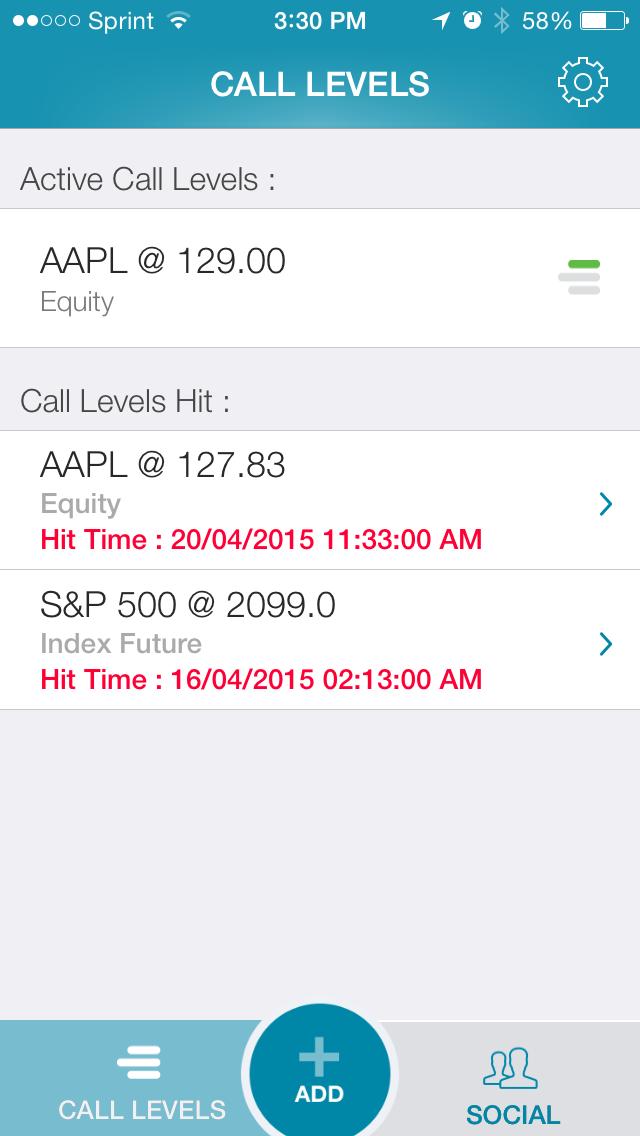
The Call Levels home page shows all of your recent call levels as well as “call levels hit.” This is simply a list of previously set call levels that were met at some point in the past. It shows the level you specified as well as the hit time. Toward the bottom of the screen, you will see three options: call levels, add and social. If you click social, you can share your call levels via social media or create a separate “CC” (copy to) list. To add people to your CC list, simply input their email addresses and they will be notified by email only when your call levels are hit.
Overall, Call Levels is a very simple financial application that allows users to set specified price targets and receive push notifications when the desired “level,” or price, is met. It is easy to understand and doesn’t overcomplicate tracking prices of securities.
Call Levels (for iOS, Android)
Free
Discussion
FREE REPORT

No comments have been added yet. Add your thoughts to the discussion!
You need to log in as a registered AAII user before commenting.
Log InCreate an account