


Quicken, the popular personal finance software program, has released its latest update. While Quicken 2015 still offers the Starter & Deluxe editions, investors interested in tracking and managing their investments will need the Premier edition. The Premier version of Quicken for 2015 adds some new features that users may find useful. Versions are offered for both the Windows and Mac operating systems, though this review is limited to the Windows version. The Mac version of Quicken 2015 has received very mixed reviews, at best, as its functionality is limited compared to the Windows version. Many of the software features are carried over from the previous versions, so we only touch upon high-level features while highlighting on what’s changed.
In recent years, more and more competition has shown up to knock Quicken off of its perch. Services such as Mint.com, which Intuit bought, and Personal Capital continue to add services that directly compete with Quicken, but Quicken still easily retains the largest market and mind share of the personal finance software market. The software can be purchased directly from Intuit at Quicken.com for $104.99 (as of December 19, 2014), but can frequently be found for less at various retail outlets, including Amazon.com.
Quicken 2015 Premier, like all Quicken products, maintains bank-level security. Your information is encrypted and securely transmitted from your financial institutions into Quicken. This is unchanged from previous versions and is an expectation for any software or website that deals with the user’s financial information.
The installation process for me, as a new user, was flawless, and I was in the software within minutes of downloading it from the Quicken website. Other reviewers have confirmed a seamless experience. Connecting to one of my brokerage accounts was quite simple, and before I knew it my holdings were accurately imported and reflected in the Quicken program.
Nowadays, no desktop or Web-based software would be complete without applications for smartphones and tablets to support it. The app that Quicken offers, Quicken 2014/2015 Money Management, offers views and updates transactions in spending and investing, among other activities, but users have been a little disappointed. It’s currently rated two stars in the App store (iTunes). Most user complaints center on slow syncing to update information and limited functionality. I’m not sure that the complaints are entirely fair, given that we are talking about a free app to support the main software.
Spending and Saving Goal Setting
As with the previous versions of Quicken Premier, you will have to connect to a banking account to make use of the spending, bill-paying and planning features. Simply click the plus button at the bottom left of the program to add an account. A dialog box will appear that offers you the opportunity to add several different types of accounts.
Bill Pay
Quicken Bill Pay can do the same tasks you do with their online bill payment feature available from your bank, but Quicken charges $9.95 per month. Keep in mind that your bank offers similar bill payment features for no cost. Quicken Bill Pay provides for the immediate categorization of spending. This gives users a view of what types of expenses are driving spending. Although this feature is not unique, you can use your phone’s camera to take pictures of receipts for use later.
Additionally, under the Bills section, users can see projected balances adjusted for scheduled payments (Figure 1). In combination with the ability to set up alerts, I could see this being a particularly useful feature. For example, if your bank charges you a fee for having a balance of less than $1,500 at any point in the month, you can use projected balances and alerts to notify you before you get too close to that threshold. It’s a nice feature to have and a potential money saver.
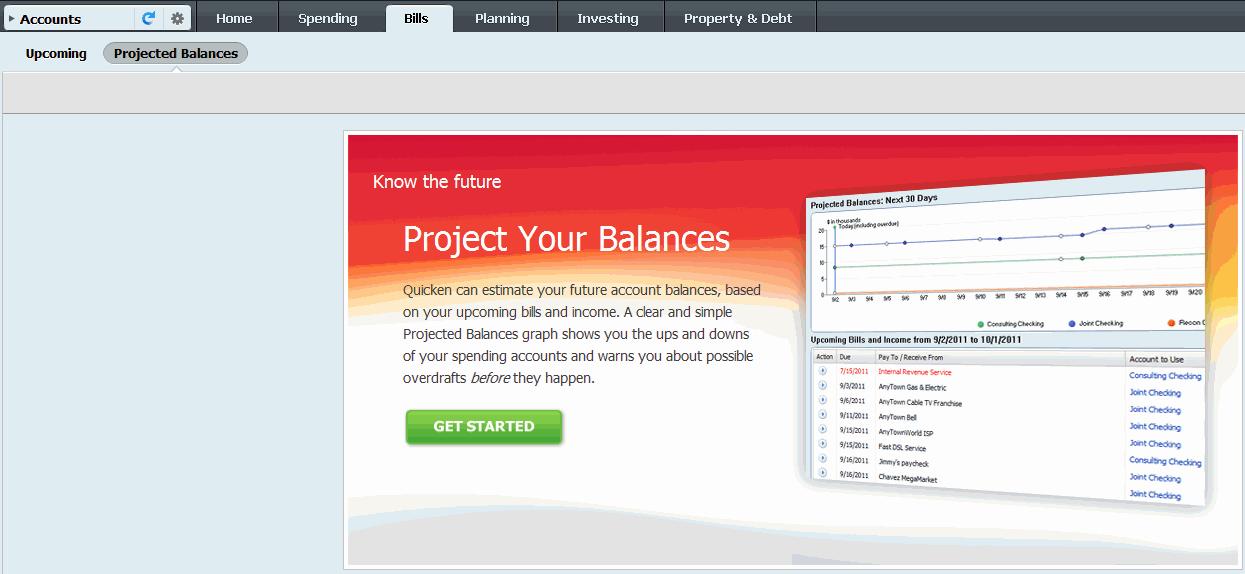
There are a few drop-down menus where you can customize the view. You can also switch between income and spending views, vary the period covered or even change the account (if you have multiple accounts).
Planning
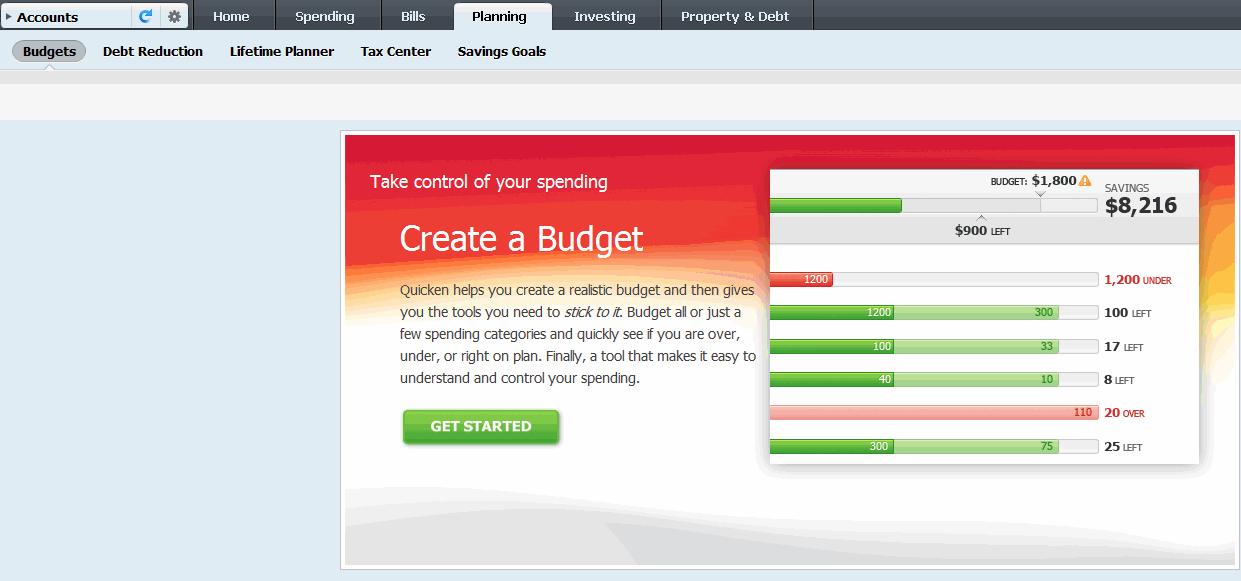
One carryover popular among users is the Planning feature. Within the Planning feature is budgeting, debt reduction, lifetime planner, tax center and savings goals. The budgeting feature allows you to set a budget to suit your needs and then helps you stick to it. You can set an overall budget or set a budget for just one category, and then see at any point whether you are on or over budget (Figure 2). Graphics are used to illustrate budget/category status, which makes it easy for even the most inexperienced users to follow.
The debt reduction feature helps you plan how to reduce your debt load over time as well as save on your interest payments. It’s easy to change scenarios to examine the effect of interest savings on the monthly payment. This feature requires you to enter your credit cards and loans into Quicken.
The lifetime planner could be useful as you think about your financial future. This feature asks you questions about your income, tax rate, assets, assumptions about growth, etc., to help set a plan for your life goals. You can change assumptions and see how it effects planning and goals. You can also use the What If scenario builder to go into even more detail.
The tax center can help you get your head around your tax obligations, whether from income or capital gains.
Finally, the savings goal feature allows you to set amounts you’d like to save for specific goals such as vacation or a college fund. You can assign a monthly contribution amount and a target date and watch the balance grow over time as you close in on achieving your goal. Intuit describes it as a “virtual piggy bank.”
Investing
The Investing tab is the last tab on the right at the top below the drop-down menus. After clicking the Investing tab, four options are shown below the tabs; Portfolio, Portfolio X-Ray, Performance and Allocations. In combination, these tabs provide in-depth portfolio holdings details, such as geographic range, sector breakdown and more.
Portfolio & Performance
The Portfolio page serves as the ‘home page’ for the Investing tab and is the first thing you see. The page lists your connected brokerage accounts and shows holdings, shares, quotes, market value of position/account, etc. The Performance tab uses charts and tables to indicate returns generated by the brokerage account. A few options are presented, such as standard reporting periods and comparability with a few major indexes, but Performance doesn’t appear to be customizable otherwise. If any data is missing and the software has to adjust for that, a footnote will be shown to indicate that.
Users click to add an account and select from the brokerage accounts shown. All of the major brokerage companies are supported. After selecting your brokerage company, you simply have to input your login credentials for the brokerage account and Quicken will take it from there.
The software downloads your transactions from the connected brokerage account, which you can then choose to manually edit. You can also perform other actions, such as opening up a simple line chart, with a link for more complex charting options available. The link for the chart also shows you key statistics about your holding such as average cost per share, percent gain, price and shares held. The quotes are delayed by 20 minutes. The downloaded transactions also include interest earned as well as dividend payments. However, occasionally transactions do not come through as intended and manual adjustments must be made. Stock splits, for example, seem to confuse the software, which is disappointing given how often that could happen.
New Portfolio X-Ray Tool
The key new addition to the Investing tab is the Portfolio X-Ray portfolio analysis tool. If you are a paying user of Morningstar.com, you will be familiar with the X-Ray tool available on their website; it is the same tool that now appears in Quicken Premier (Figure 3). It is a very valuable way to slice and dice your portfolio to look at it in a number of ways. According to Morningstar, you can import a portfolio into the X-Ray tool, but many users find it difficult to do. The other option has been, of course, to manually create and input a portfolio, which many users find too cumbersome to attempt.
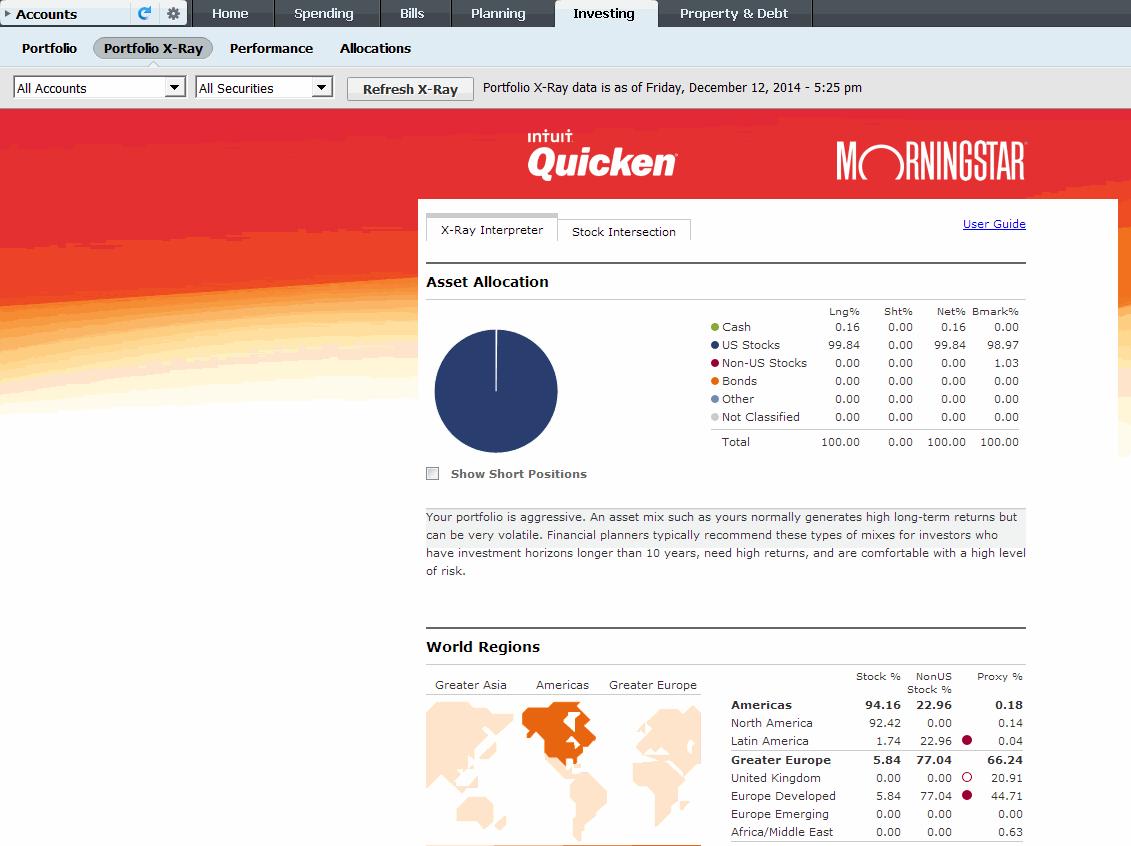
Those hurdles are now gone with the addition of Morningstar’s X-Ray tool to Quicken Premier. After you have successfully installed/updated Quicken Premier 2015, you must connect a brokerage account to the software to make use of the X-Ray tool.
When you initially select the X-Ray tool, it will have to validate your registration. However, the process is quick and shouldn’t take more than 15 seconds. You will also have to agree to Morningstar’s terms of use. After that, the tool will calculate the numbers for the selected brokerage account (if you have several accounts, you will have to select one). The X-Ray tool offers analysis ranging from asset allocation (U.S. stocks, non-U.S. stocks, bonds, etc.) to geographic distribution of your holdings to stock sectors and more. It is a fascinating look inside your portfolio. As expected, it correctly identified the portfolio as an aggressive small- to mid-cap portfolio when I connected Quicken Premier to the brokerage account for AAII’s Stock Superstars Portfolio holdings.
Allocations
One additional page of the Investing tab is called Allocations. Clicking that shows several pie charts. This appears to be an Intuit tool and not linked to the Portfolio X-Ray. While the X-Ray tool correctly estimated that the SSR portfolio was an aggressive small-cap/mid-cap portfolio, the pie charts under Allocations showed the same portfolio as more than 79% in large-cap stocks. That is concerning, as it clearly is not correct and makes any data produced on this page a little suspect. I will attempt to reach out to Intuit about this issue and will post any updates in the Computerized Investing blog.
Other Features
New Credit Tool
Another new addition to the Quicken Premier software is the free credit tool and credit monitoring, which Intuit does not charge extra for (Figure 4). It’s informational, meaning it provides static information about common factors that drive changes in your credit score as well as daily monitoring and alerts regarding identity theft. The sign-up requires some personal information, which you may have misgivings about providing, but the form is short and the software has bank-level security.

This tool is an interesting addition to the package, but not unique, as free credit reports are offered by any number of websites such as creditkarma.com. For some people it may be a value-add to have that information available in one place, but I’m not sure that it is a huge upgrade.
Reports
Another carryover feature is the reporting function, which allows a number of reports to be run with different views depending on your needs. From the Investing tab, for example, you can see a capital gains report, a transaction report or a cost basis report; most of the other tabs offer many report options as well.
Support
As with previous versions, there is a large and active Quicken community user base where you can find answers if you run into trouble. Alternatively, you can directly contact Intuit for help.
Should You or Shouldn’t You?
In summary, after a few years with minimal significant changes to the software, Intuit has made some valuable upgrades to Quicken. Most significant for investors is the addition of the Morningstar X-Ray tool, which is quite useful for portfolio analysis. Additionally, the free credit report is handy, though not an important upgrade to the software. Finally, the improved syncing of the apps, which users had complained about in their reviews of past editions, is a good sign that Intuit is paying attention to customer feedback.
In the end, whether it is worth it for you to upgrade to Quicken 2015 depends on your needs. If you already pay for Morningstar.com Premium (or another portfolio analysis tool, see Best of Web for options) separately and have a previous version of Quicken that works for you, then you may opt to skip this upgrade. However, if you don’t currently do any portfolio analysis and have an older version of Quicken, then Quicken Premier 2015 may be worth considering.
Discussion
FREE REPORT

Fred Dunfey from AZ posted over 11 years ago:
Tony Hausner from MD posted over 11 years ago:
Jeff David from IN posted over 11 years ago:
Jeff David from IN posted over 11 years ago:
Bruce Wicklund from CA posted over 11 years ago:
Long Time Quicken User from VA posted over 11 years ago:
Honest Conn Man from CT posted over 11 years ago:
Michael Clohossey from CA posted over 11 years ago:
Robert Lassiter from IL posted over 11 years ago:
Kenneth Woltz from FL posted over 11 years ago:
GB from NJ posted over 11 years ago:
Ronnie Spruell from LA posted over 11 years ago:
Timothy Wheeler from PA posted over 11 years ago:
Bud Sloan from Nevada posted over 11 years ago:
Gale Hamilton from VT posted over 11 years ago:
J Patek from NY posted over 11 years ago:
Fred Brockman from FL posted over 11 years ago:
Donald Jones from VA posted over 11 years ago:
Steven Helton from IN posted over 11 years ago:
Hareesh N. Jayanthi from Illinois posted over 11 years ago:
Sir Dodo from CA posted over 11 years ago:
Peter Gollon from NY posted over 11 years ago:
Ronald Marr from IA posted over 11 years ago:
Robert Wilson from CA posted over 11 years ago:
A Prophet from OR posted over 11 years ago:
GURUPERF from CT posted over 11 years ago:
Charles Layfield from PA posted over 11 years ago:
Mary Ann Edson-Plumb from CA posted over 11 years ago:
Kurt Salm from IL posted over 11 years ago:
Don B from VA posted over 11 years ago:
Jackie McClellan from IL posted over 11 years ago:
John Izydorczyk from FL posted over 10 years ago:
Terry I from AZ posted over 8 years ago:
You need to log in as a registered AAII user before commenting.
Log InCreate an account