


Free
Stay on top of current market information regarding news, stocks, ETFs, forex and more.
Investing.com is an application that provides a wide range of stock market information, from real-time quotes to an economic calendar. This app is a great way to stay on top of the financial markets.
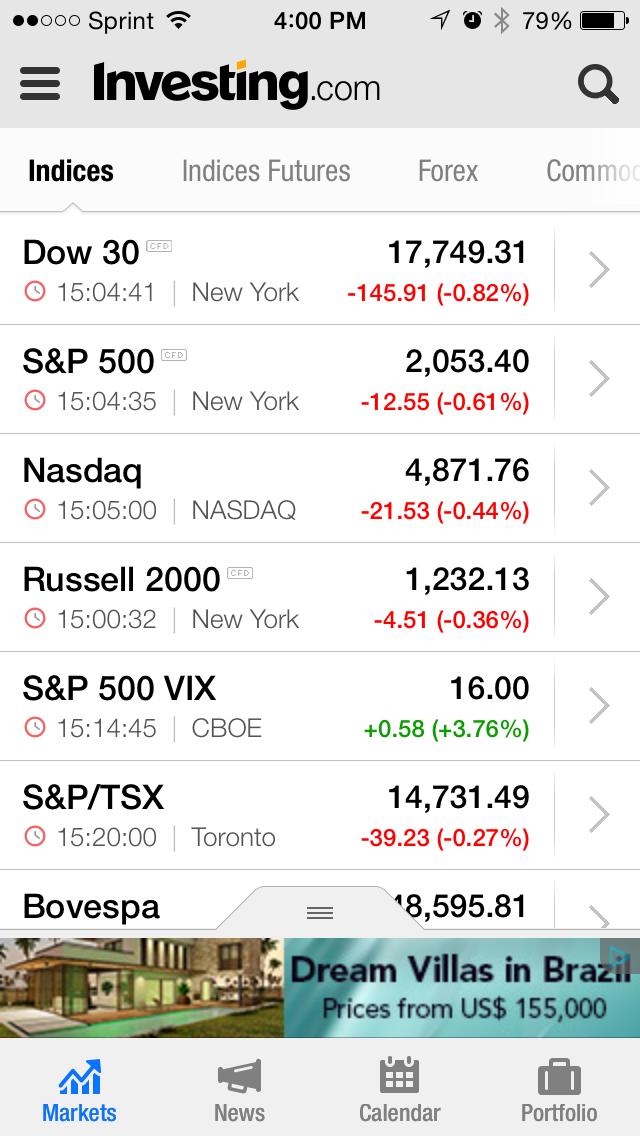
Once you download the app you will see several tabs across the top: indices, indices futures, forex, commodities, stocks, bonds and ETFs. You can reach any of the different pages by tapping the name or swiping the screen left or right with your finger.
The first tab, indices, covers more than 20 popular market indexes worldwide. On the indices tab each index is presented in a list-like view. To the right of each index, is an arrow that takes you to more detailed information about the particular index. Once you are on the “home” or overview page of the index you again have several tabs to choose from. The components tab displays the constituent securities that make up that particular index.
The technical tab shows technical analysis information that can be separated into several different time intervals including five minutes, 15 minutes, hourly and daily. Indicators include moving averages, relative strength index, moving average convergence divergence (MACD), average directional index, bull-bear ratio and more. Each indicator gives its own rating on the stock, which could be strong buy, buy, neutral, strong sell, sell, overbought, oversold, high volatility or low volatility. Based on each time interval, the app generates a “summary” rating that combines all the indicators.
The news tab allows you to scroll down through the headlines and view the date and time of each article. If you tap on a headline the article opens. You also have the option of customizing the size of the text: At the top of the article are a small letter “t” and a big letter “T.” If you tap one of these symbols you can make the text normal, large or extra-large. Users can also tap the export button in the top right-hand corner to share a particular news item to social media, email, or open it online.

To the right of the news tab is the analysis tab. This tab is provides a similar format as the news tab, but the articles are more in-depth and geared toward analyzing the market.
Each of the initial sections (indices, indices futures, forex, commodities, stocks, bonds and ETFs) includes the tabs described above. A search box is available in the top right-hand side of the application where you can search for ticker symbols or indexes. When viewing a security, you can rotate your phone horizontally to display a more in-depth chart. You can choose between several different time intervals and switch between different types of charts including bar, candles, hollow candles, line, area or heiken ashi. Users can also change the chart settings by tapping the circle button in the lower right-hand corner of the screen.
The menu button is located in the top left-hand corner. Here you will see different areas of the application, including news, calendar, portfolio, analysis, earnings calendar, top brokers and more. By tapping news from the menu, you will have access to a wide variety of headlines. Again, there is a subgroup of tabs that allows you to filter the news items by choosing the latest, stock market, commodities, forex, economic indicators, economy, world, technology and politics. This makes it easier for users to sort through news items that cover a particular topic of interest.
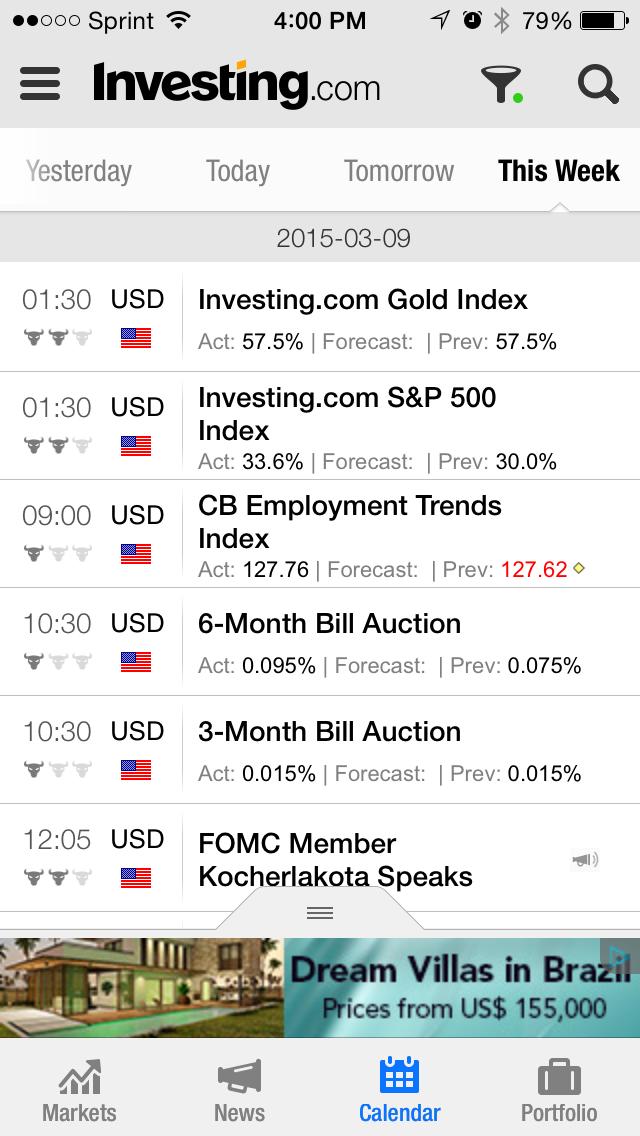
Tap the menu button to see the calendar option. You are brought to a separate page that contains indicators for a wide range of countries. If you are only interested in a particular set of countries, tap the funnel button at the top. Then, under “select countries,” choose “custom,” where you can select or deselect countries of interest. A calendar can be viewed for different time periods, including yesterday, today, tomorrow and this week.
Tap the menu on the top left-hand corner of the screen to access the portfolio page. Here users can add stocks, bonds, commodities, foreign exchange, and ETFs to their “portfolio.” This area is more of a watchlist than an actual portfolio tracker because you simply add securities to a list that you can check whenever you want, as opposed to continually searching for each security. When using the application and viewing a particular company or security that you would like to add to your portfolio, simply tap the symbol at the top of the application that looks like a briefcase. This adds it directly to your portfolio.
Another menu option is the earnings calendar. Here you see a list of companies that are reporting quarterly earnings, with subtabs that allow you to move from different time periods including yesterday, today, tomorrow and this week.
According to Google Play, in-app products range from $0.99 to $44.99 per item, but when I was using the application I didn’t see any in-app products. The application itself is free, as are the features described above.
Investing.com (for iOS, Android)
Free
Discussion
FREE REPORT

Karl from Minnesota posted over 11 years ago:
Jeff Poland from OH posted over 11 years ago:
You need to log in as a registered AAII user before commenting.
Log InCreate an account