


$21.99
HDTV indoor antenna that captures over-the-air broadcast signals up to 30 miles.
If you’ve ever stood in a line to return Comcast equipment, you understand my distaste for cable services. I also find myself overpaying for services that I don’t use. My big concern is having a form of entertainment when guests come to my house. Luckily, I found a happy medium: the FlatWave Micro digital TV antenna. Wayne Thorp reviewed a different version of the product back in September of 2014, so I figured I would give it a go and see exactly what “free TV” was like.
Reading about the FlatWave Micro antenna left me somewhat confused. I couldn’t quite understand how I could get free channels, when all along I was paying upward of $70 a month for channels from Comcast. For those who share my confusion, here’s how it works:
An antenna is designed to “intercept” the reception of over-the-air broadcast television signals. Each broadcast station sends out a signal on a frequency, or channel. Over-the-air stations include the major networks ABC, NBC, CBS, Fox, CW and PBS; all you need to view them for free is a signal. That’s where the FlatWave antenna comes in. So no, you won’t get over hundreds of channels for free, but you do get the over-the-air broadcast channels, plus local news, weather and sports.
The FCC explains, “It is important that your antenna be able to receive both VHF channels (channels 2-13) and UHF channels (channels 14-51). Some antennas only provide good reception of VHF or UHF channels, but not both.” The FlatWave antenna picks up both channel types that are being transmitted within 30 miles of your home.
Out of the Box and Setup
When you hear the word “antenna” you are probably thinking of something that looks significantly different than the FlatWave Micro antenna. The device is slim and flat, somewhat like a piece of paper (though slightly thicker) and attaches to your TV. This differs significantly from the “bunny ears” that many of us think of when we hear the word “antenna.”
The device is 5.3 inches by 7 inches and has a five-inch mini coaxial cable attached to it for better quality.
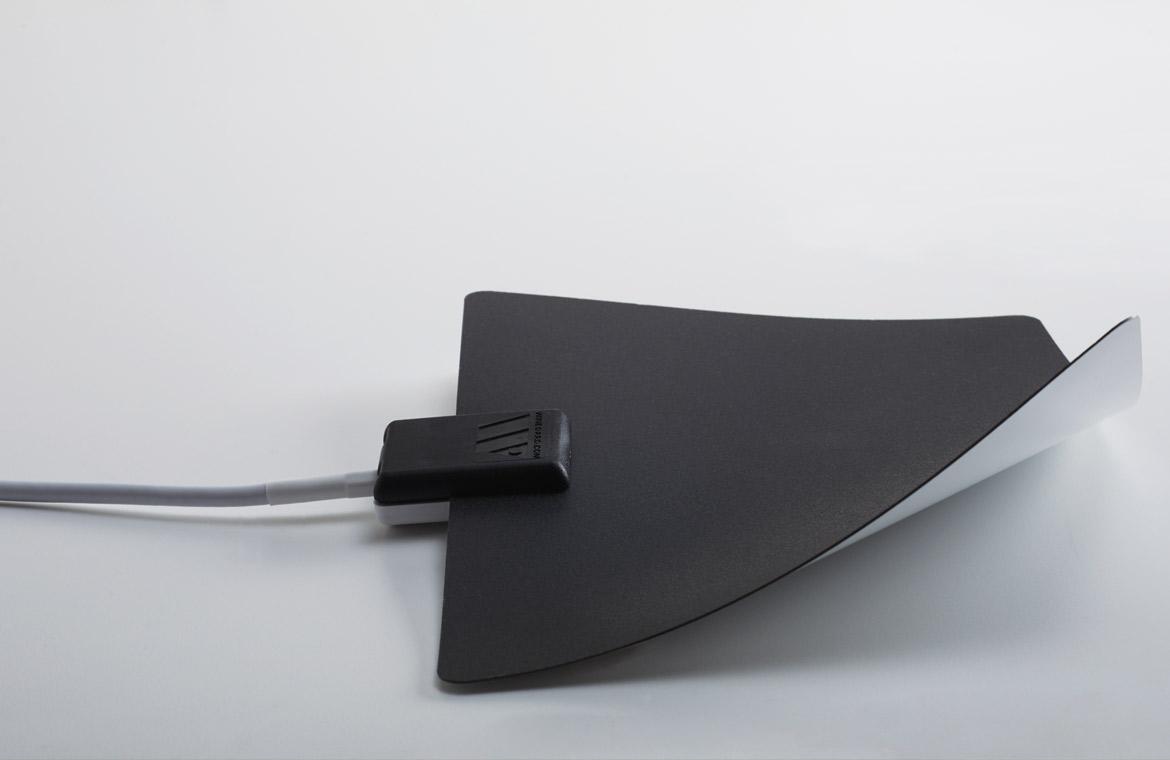
Installation was very easy. You simply attach the coax cable of the antenna to the cable antenna port on your television. Winegard tells users to perform a “channel scan” after connecting the device to the TV. You can perform a channel scan by selecting Menu using your TV remote, then Settings. Next, select Channel Setup and then Antenna or Air depending on your TV. Make sure you are not on Cable. Select Channel Search or Channel Scan. These are just the general directions that Winegard provides, but instructions may differ depending on your TV. You can usually find this information in the TV manual.
To find out what’s free in your area, go to dtv.gov/maps. When you enter your address, you can see a local listing of the channels likely available in your area.
Winegard makes it clear that users should test the positioning of the antenna before attaching it to anything. The antenna is picking up television signals, so an inch in any direction can make a difference in the quality of reception or channels received. Generally, if you live in or close to a metropolitan area, you receive more channels than if you live outside a metropolitan area. Antenna reception can also depend on terrain, so if you have many trees, buildings, hills or mountains around you, your reception could be affected.
Once you move it around and find the ideal placement, you can attach the antenna using the 3M tape strip provided with the device.
Winegard mentions that users can pair their FlatWave Micro digital TV antenna with streaming devices such as a Roku, FireTV or Chromecast for “maximum programming.” I don’t own any of these devices, so I didn’t get a chance to test this.
TV Requirements
It’s also important to note that you need to have a high-definition TV to receive HD over-the-air signals.
Before buying this HDTV antenna or any other antenna for that matter, find out if you have any transmitters in your area. Thankfully, TVfool.com offers a tool that allows you to search for transmitters in your area as well as check the signal strength. By entering your address, as well as the approximate height of your HD antenna, the site offers a list of transmitters, their distance from you and their compass direction relative to you, and an estimated signal strength.
Winegard points out that the FlatWave Micro antenna works with any TV or device that has an ATSC tuner. Devices that have built-in ATSC tuners include TVs, laptops, PCs, some satellite receivers and digital recording devices (DVRs). It is required by the U.S. government that any TV manufactured after March 1, 2007, has an ATSC tuner. If your TV menu has an option for scanning for digital channels, then your television has an ASTC tuner. For most people, this won’t be a concern.
Conclusion
I was really impressed with the FlatWave Micro HDTV antenna. I am lucky enough to live in Chicago, with several transmitters within 30 miles of my home.
One downside to it is that although the setup is very easy, I wish there were more specific instructions that came with the device. To many people it may seem self-explanatory, but I would have liked a tutorial. It would also be interesting if Winegard explained somewhere on its website how broadcast signals and transmitters work in general for those, like myself, who have no clue how it works.
Although I don’t have a digital streaming device like Roku or Chromecast, I didn’t see any explicit instruments on how to “pair” the FlatWave antenna with these devices. Again, I’m sure it’s simple, but explicit instructions and a “how-to” manual that explains how it works would be helpful. I’m still trying to figure out how pairing the antenna with a streaming device would lead to “maximum programming.”
As I mentioned, Wayne Thorp reviewed a very similar product last year. I don’t see any major differences between the two products, aside from the size. This means that for almost $20 less, you can get a device that works just as well as the one that Wayne reviewed. At $21.99, the FlatWave antenna is an excellent device and would be a great gift as we head into the holiday season.
Pros
- Easy set up
- Handy window mounting
- Very inexpensive compared to cable TV costs
Cons
- Needs more specific set-up instructions
- Usability depends on your living location
Winegard FlatWave Micro HDTV Antenna (Non-Amped)
$21.99
Discussion
FREE REPORT

Robert McGreevy from CA posted over 10 years ago:
Jackie McClellan from IL posted over 10 years ago:
Ransom Simmons from FL posted over 10 years ago:
Jackie McClellan from IL posted over 10 years ago:
Stephen Schuster from MD posted over 10 years ago:
You need to log in as a registered AAII user before commenting.
Log InCreate an account