The A+ Stock Grades system is a grading tool based on percentile rankings of multiple key metrics within five investment factors: value, growth, momentum, earnings estimate revisions and quality. They represent a summary of a company’s fundamentals and give you a quick overview of how a stock rates based on the five investment factors that have been shown to produce market-beating results.
Not only do you get a letter grade for each of the five investment factors, but you can also see the percentile rankings of the underlying data points for each grade. In addition, we provide a list of the company’s competitors and their letter grades. These grades are calculated and updated daily.
There are several places where you can find A+ Stock Grades:
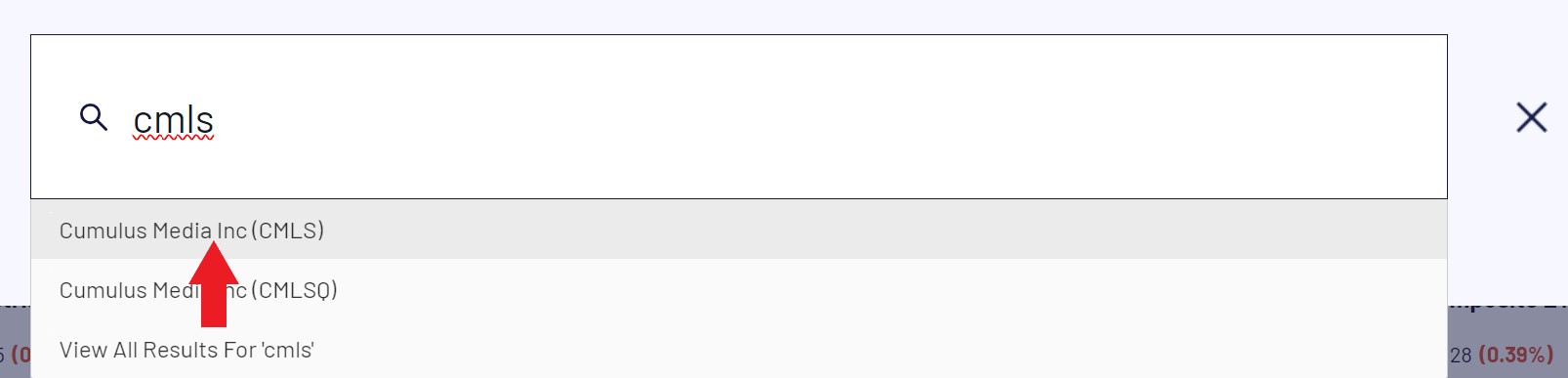
To access a Stock Evaluator data sheet for any of the 6,600 stocks in the A+ Investor stock universe, type in a company name or ticker in the search box at the top-left of the AAII website and when it appears via the autofill drop-down box, click on the company name:
Once you are at the Stock Evaluator page, click on the Grades tab in the gray ribbon near the top of the page to review the A+ Stock Grades for that company.
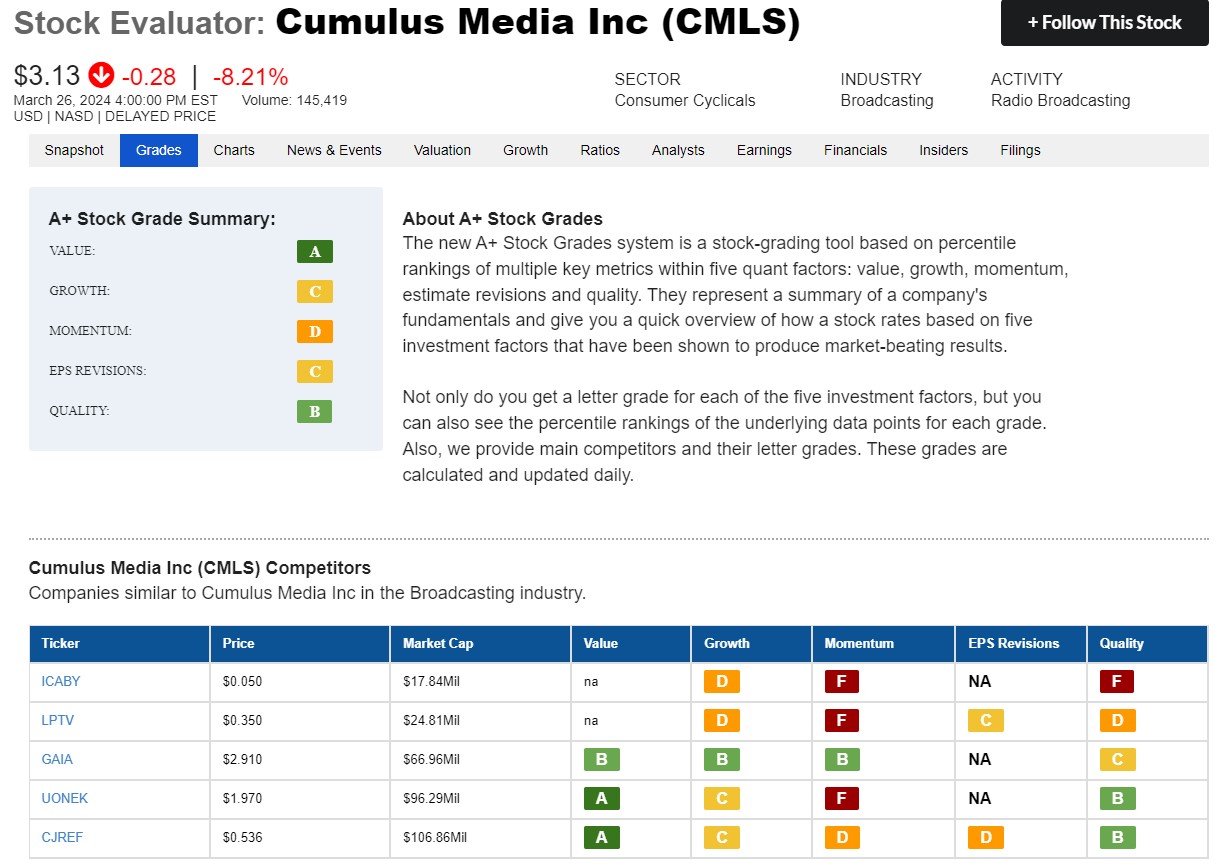
At the top of the page, you see the letter grades for your company’s investment factors—value, growth, momentum, earnings estimate revisions and quality.
For comparison, we offer a table of five competing companies in the same sector and industry as the company you are reviewing, along with their grades for each of the five investment factors.
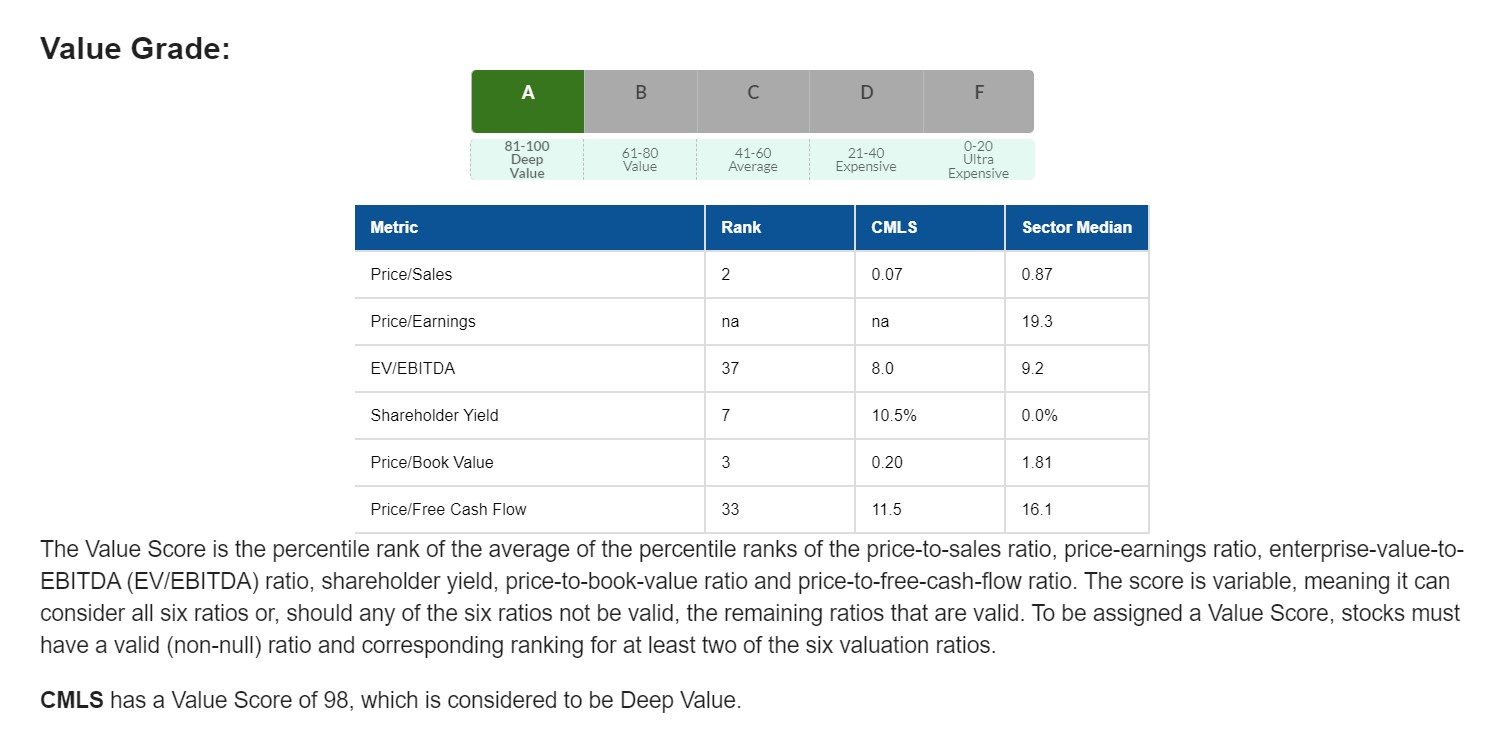
Scrolling down the page, you can take a deeper dive into the underlying fields used to calculate the five stock grades. Below, we show an example of the underlying data fields used to calculate the Value grade: the price-to-sales ratio, price-earnings ratio, EV/EBITDA ratio, shareholder yield, price-to-book-value ratio and price-to-free-cash-flow ratio.
Members interested in going beyond the prebuilt screens can try our newest A+ Investor tool, the AAII Custom Stock Screener.
The Custom Stock Screener is one of our most advanced stock screening tools. It’s packed with information on over 6,600 companies, while remaining user friendly!
As the name implies, the custom stock screener lets you select the criteria — firmographics, financial data and stock grades — on which you’ll filter companies. Select as many or as few of those criteria as desired, then use sliders to restrict results to specific parameters such as B or better stock grades or growth rates in the top 90th percentile of all stocks. To the filters’ right, you can see how many stocks currently pass.
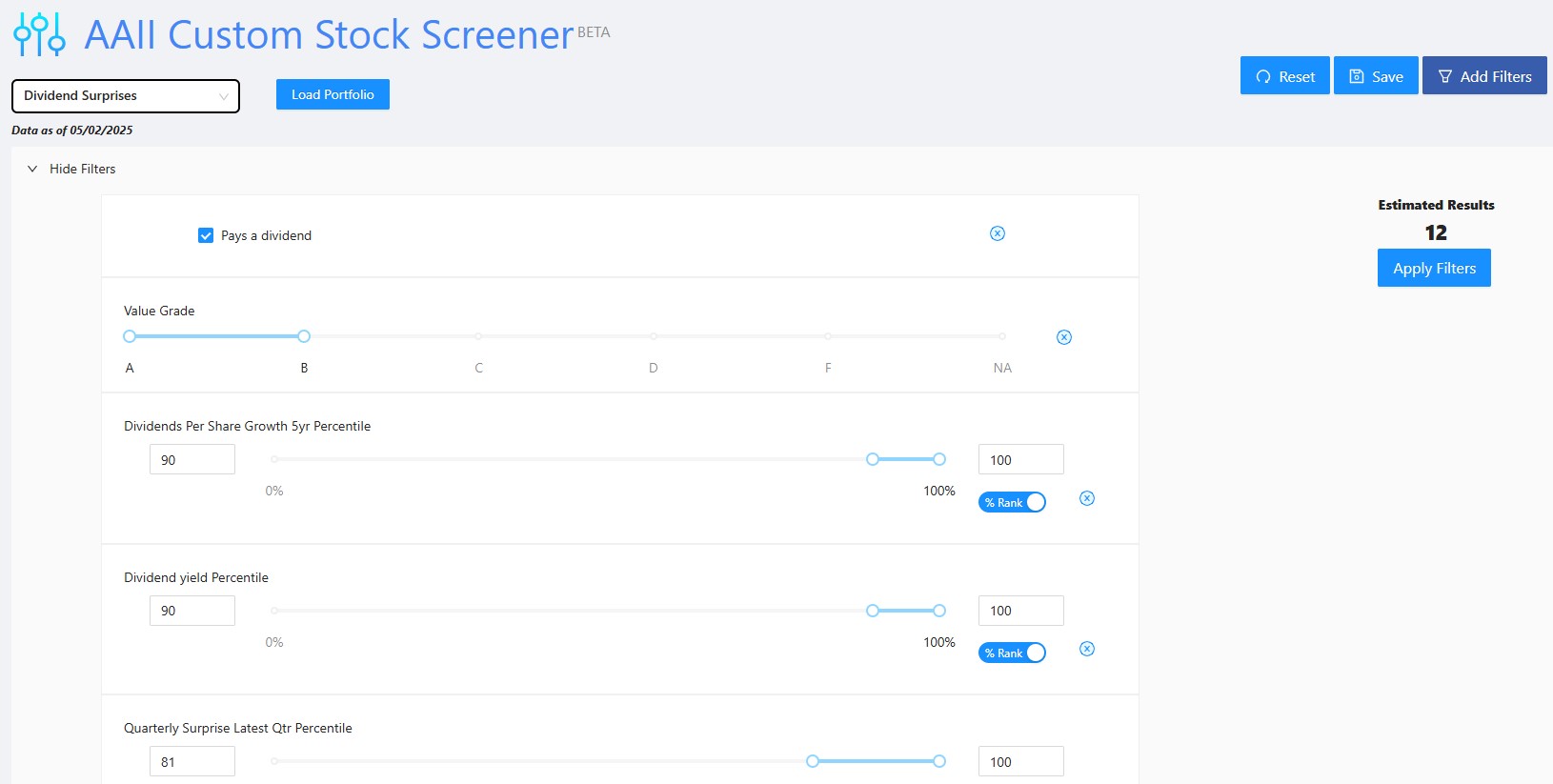
You can then see detailed information on the resultant stocks, export them to Excel for additional analysis and save screens for future access. This tool is great for those who want to explore data and have in mind winning combinations. Most members, though, will find the prebuilt stock screens sufficient for their investment discovery.
Watch our introductory video for more information on the custom stock screener!
Not only can you review the A+ Stock Grades for specific companies, with the A+ Stock Grades Screener, you can identify stocks with particular letter grades across the A+ ratings on value, growth, momentum, estimate revisions and quality factors. To access the A+ Stock Grades Screener for stocks, go here.
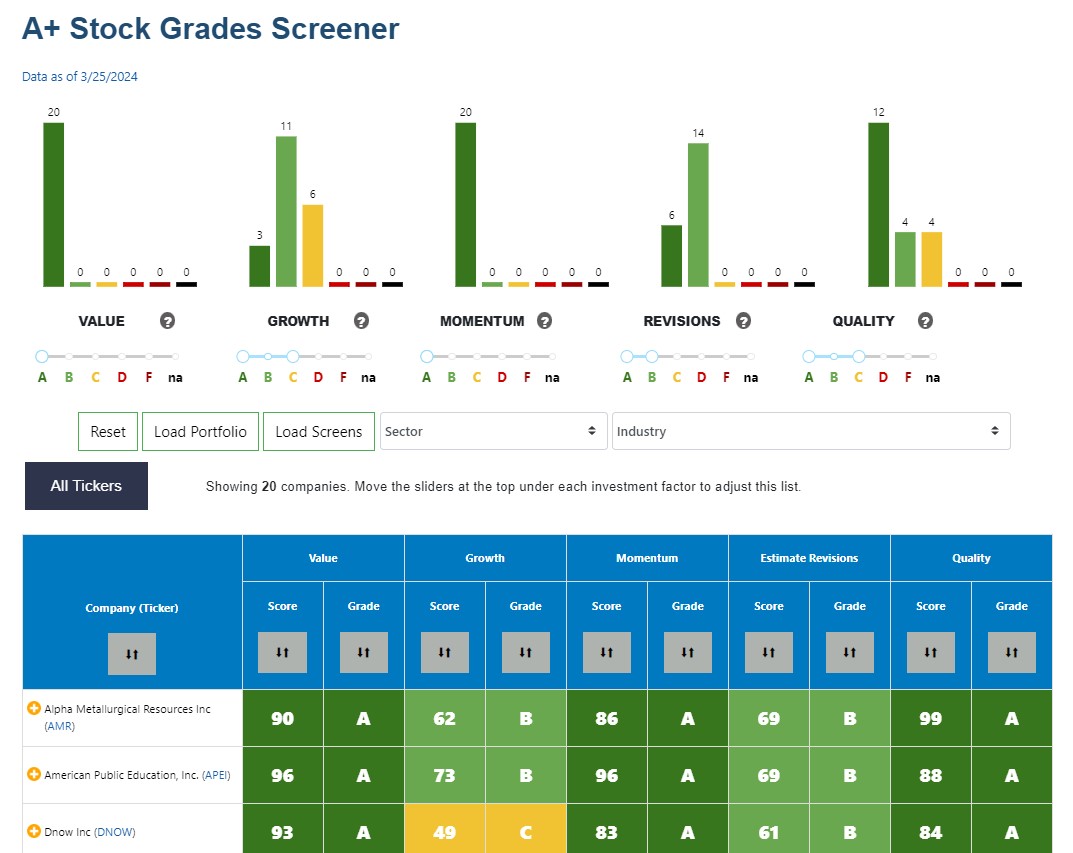
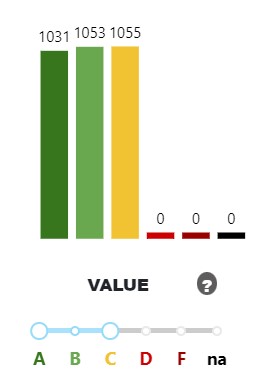
This example is looking for stocks with value and momentum grades of A, estimate revisions grade of B or better, and growth and quality grades of C or better.
The result is 20 companies exhibiting deep value and strong momentum, above-average estimate revisions and earnings surprise and average-or-better growth and quality.
Using your mouse to adjust the grade sliders under each factor (Value to Quality) is all it takes to run this query.
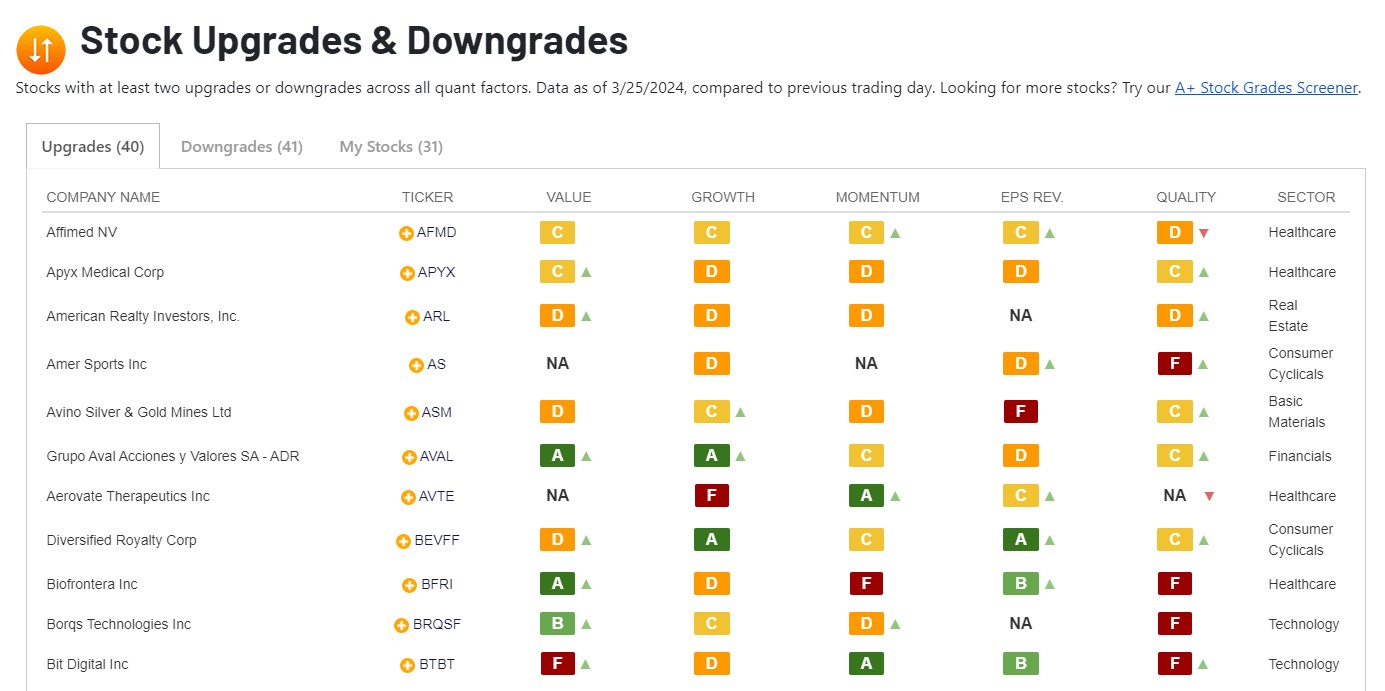
Another way to use the A+ Stock Grades is by examining the daily upgrades and downgrades list from A+ Investor, available here. Each day, A+ Investor compiles a listing of those stocks that have seen at least two upgrades or two downgrades to any of the five investment factor grades compared to the previous trading day.
There are separate tabs for upgrades and downgrades, as well as any stocks that you are tracking in My Portfolio. Each ticker has a link to its respective Stock Evaluator page and you can click the yellow “+” sign next to any ach ticker to add it to a portfolio of yours in My Portfolio for future tracking.
With A+ Investor Stock Grades, you can get a quick idea of the overall fundamentals of a company. With the additional grades screener, you can filter the 6,600-plus stock universe to identify those stocks with the characteristics that interest you the most. Lastly, you can track those stocks experiencing upgrades and downgrades in their stock grades.

