As an A+ Investor, you have access to the ETF+ Screener tool. Currently there are seven predefined screens in the ETF+ Screener, with more to be added. These screens provide a starting point, allowing you to quickly narrow down our database of over 2,000 exchange-traded funds (ETFs) based on popular ETF selection criteria.
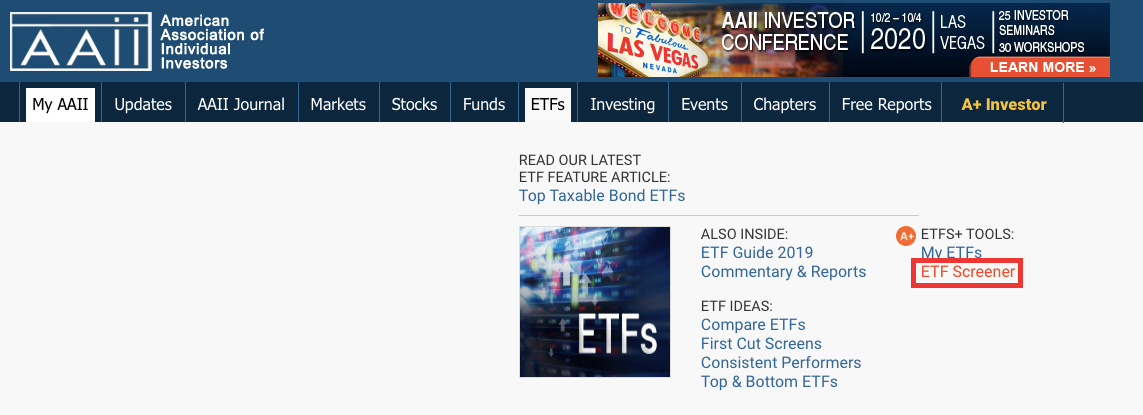
To access the ETF+ Screener page, go to https://www.aaii.com/screens/etf or hover your mouse over the ETFs tab at the top of AAII.com and then click on the ETF Screener link from the drop-down menu.
You can access the ETF screens from the Predefined Screens drop-down in the Filter Menu box to the left of the table.
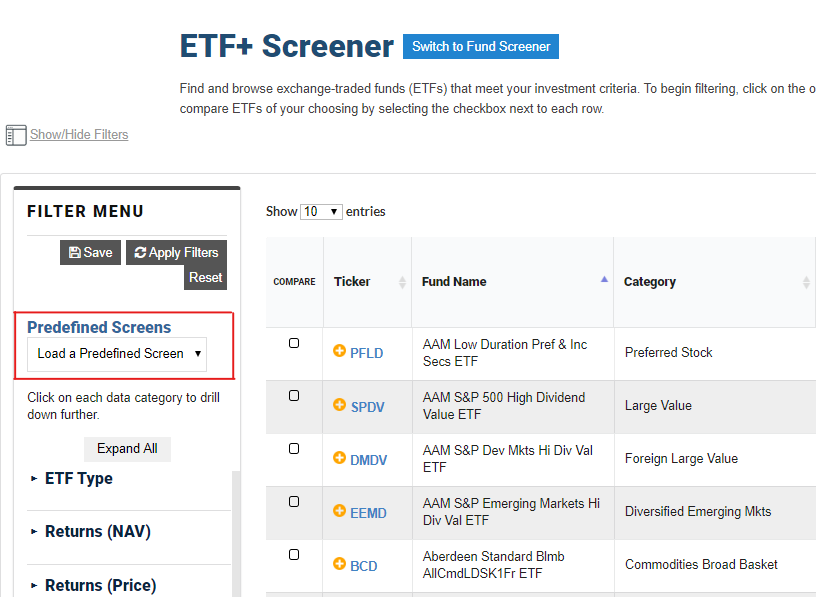
The current predefined screens are:
Selecting a screen from this list allows you to see the passing ETFs in the table of data.
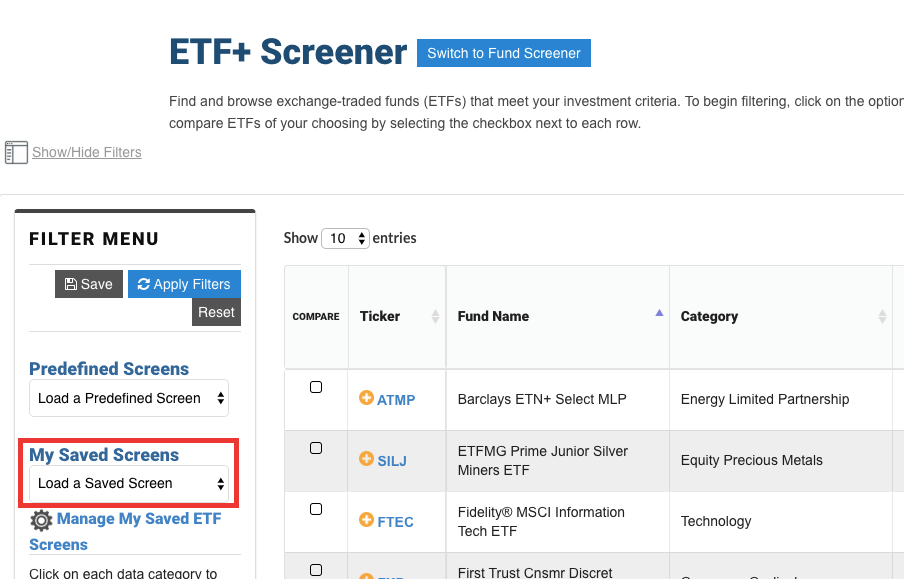
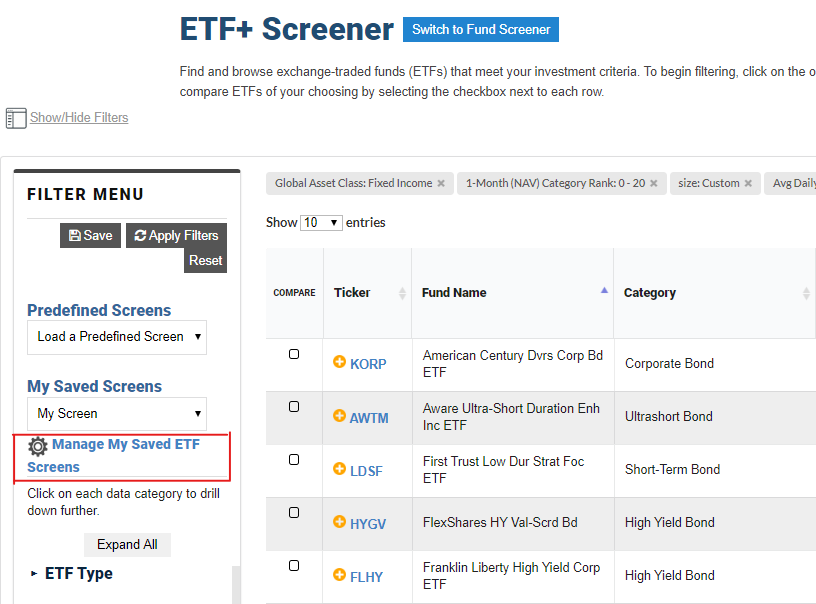
Above the table is a display that shows each filter used for the screen. Clicking on an “x” next to any of the selected criteria will remove it from the screen. You can then click the Apply Filters button to update the list of passing ETFs. Click the Save button if you want to keep your modified version of the screen. This does not overwrite the predefined screen but saves it as a new screen with a name you assign. The new screen then shows up in the My Saved Screens drop-down menu anytime you visit the ETF+ Screener.
You can rename, delete and add/revise a description for any ETF screens that you have created by clicking on the Manage My Saved ETF Screens button. On that page, change the Screen Name or Description and then click the Save button to retain those changes.
My Saved Screens is an exclusive A+ Investor feature that allows you to modify any screens, create screens from scratch and save your screens. The ETF+ Screener’s intuitive interface makes finding ETFs of interest to you a breeze.

