As an A+ Investor, you have access to mutual fund screening tools through the Funds+ Screener that include a slate of predefined screens. These screens allow you to quickly narrow down our database of over 25,000 mutual funds based on basic selection criteria that many investors are interested in.
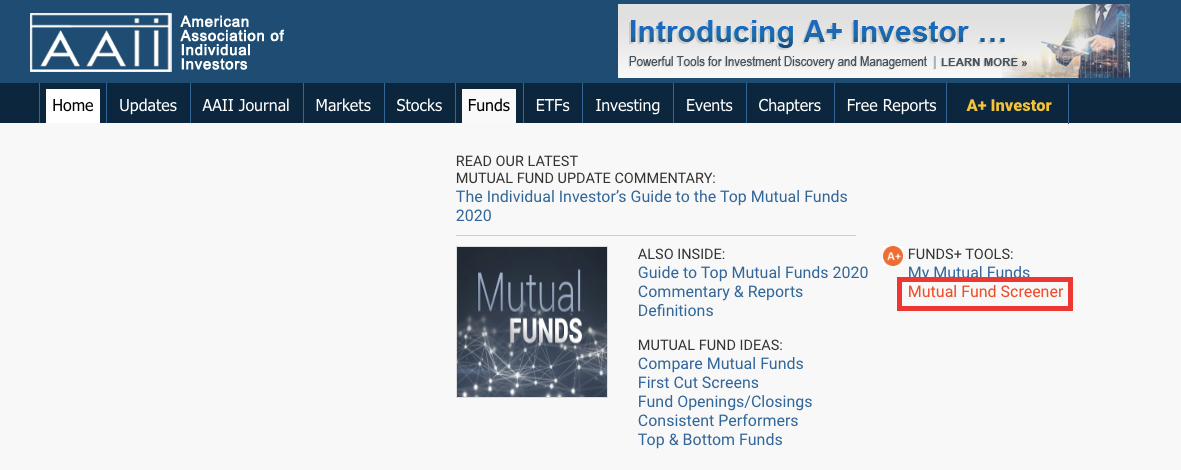
To access the Funds+ Screener page, go to https://www.aaii.com/screens/funds or hover your mouse over the Funds tab at the top of AAII.com and then click on the Mutual Fund Screener link.
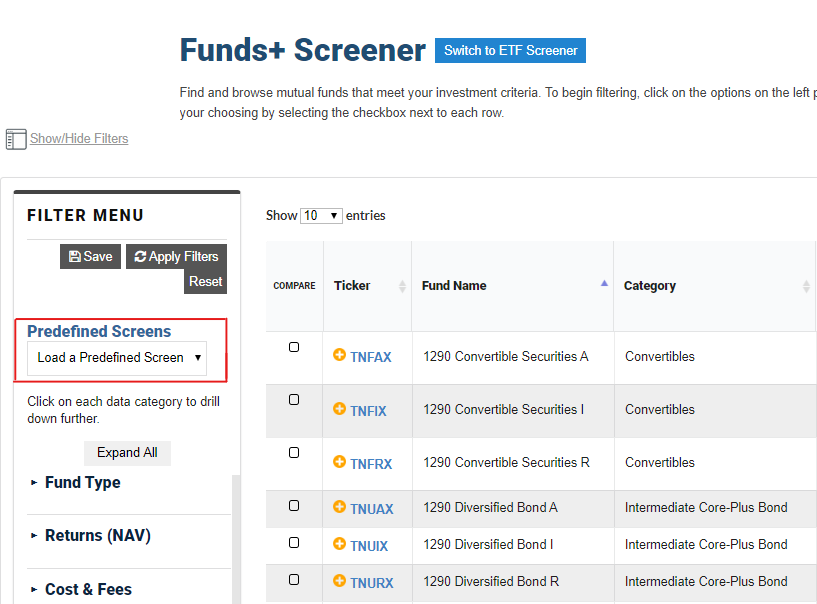
The Funds+ Screener gives you access to 17 predefined mutual fund screens. You can access these mutual fund screens from the Predefined Screens drop-down menu.
These predefined screens include:
Selecting any of these predefined screens will take you to a list of mutual funds meeting that screen’s criteria, with the underlying criteria displayed above the passing fund list. A+ subscribers can modify any predefined screen and save it with a new name.
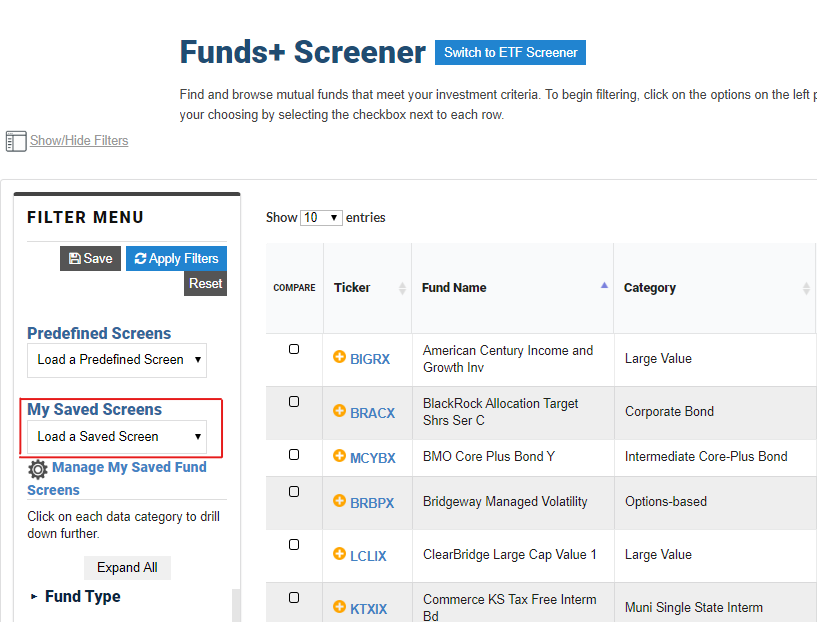
You can save mutual fund screens that you have created by clicking the Save button at the top of the Filter Menu area. You can access screens you have saved from the My Saved Screens drop-down menu.
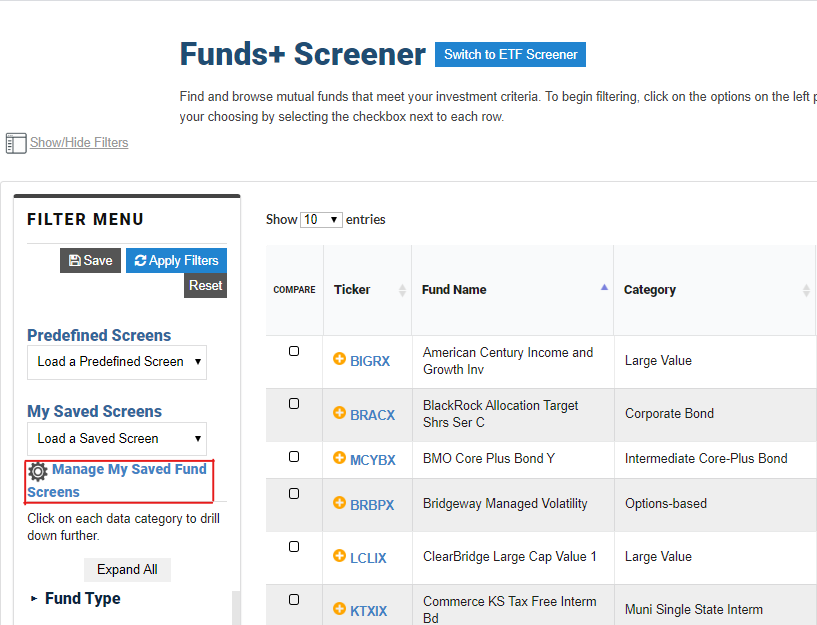
You can rename, delete and add/revise a description for any mutual fund screens that you have created by clicking on the Manage Saved Screens button. From that page, change the Screen Name or Description and then click the Save button to retain those changes.