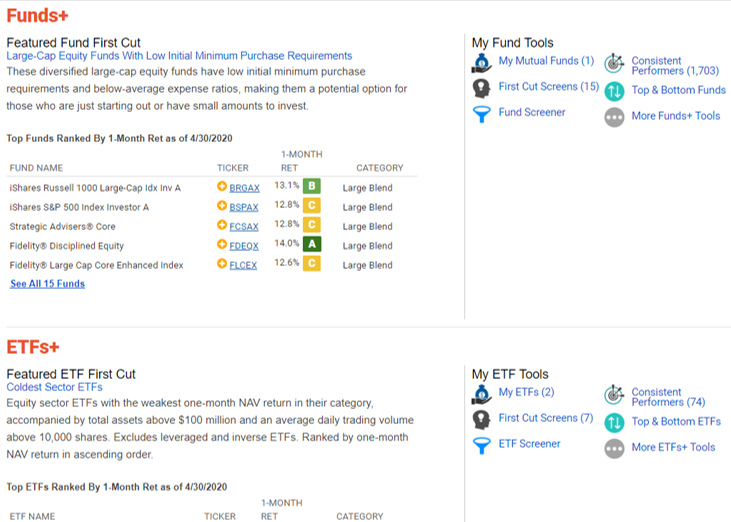
The My A+ Investor Toolkit dashboard is a personalized section of AAII.com that brings many of the key elements of A+ Investor onto a single page. Monitor your investments, discover new opportunities and learn how strategies are performing in the current market. From this dashboard, you have direct access to the A+ Investor tools and information that are most important to you.
The My A+ Investor Toolkit dashboard is accessed by clicking on the A+ Investor tab, or going directly to https://www.aaii.com/plus.
The My Portfolio+ section provides an artificial intelligence-generated narrative based on the holdings in your default portfolio in comparison to market performance. The section also tells you whether any of your stock holdings pass any of AAII’s 60 stock screening strategies. Here you will find links to My Portfolio, the Diversification Analyzer, Stock/Fund/ ETF Grades and more detailed Portfolio Insights.
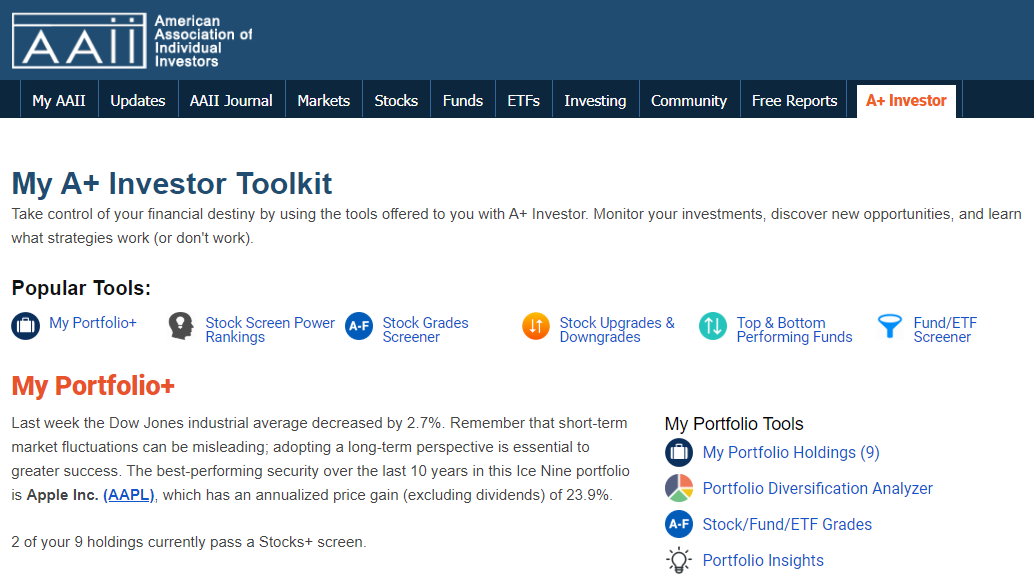
Below this, the Stocks+ section of the page ranks the AAII screening strategies based on rotating performance periods, as well as the number of stocks currently passing the highlighted screens. The My Upgrades & Downgrades table lists those stock holdings in any of your saved portfolios that have seen an upgrade or downgrade in any of the five A+ Stock Grade categories over the last trading day. Here you will also find links to other stock tools such as My Portfolio, My Screens, Stock Guru and Factor Screens, Stock Grades Quant Screener, Stock Upgrades and Downgrades and Stock Ideas.
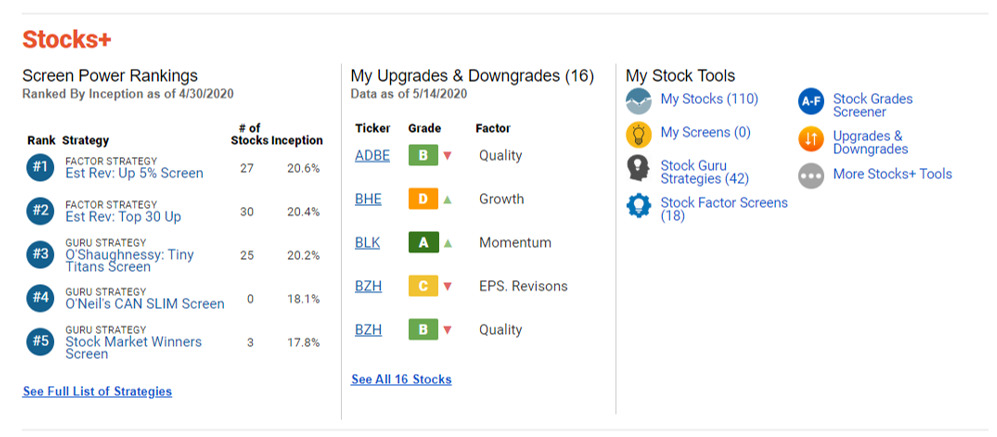
Next, the Funds+ and ETFs+ sections of the A+ Investor dashboard feature a fund and ETF First Cut screen, respectively, with five funds and ETFs listed for each, along with performance data and grades. Both sections also link you to the funds or ETFs you are tracking, as well as to the predefined A+ fund and ETF screens and their corresponding screeners, and top and bottom performers for the mutual fund and ETF universes.