Every day, the 60 guru- and factor-based AAII stock screens filter over 6,000 stocks into investment ideas that you could potentially add to your portfolio. There are multiple ways to access a stock screen’s passing company list from the A+ Investor Toolkit webpage.
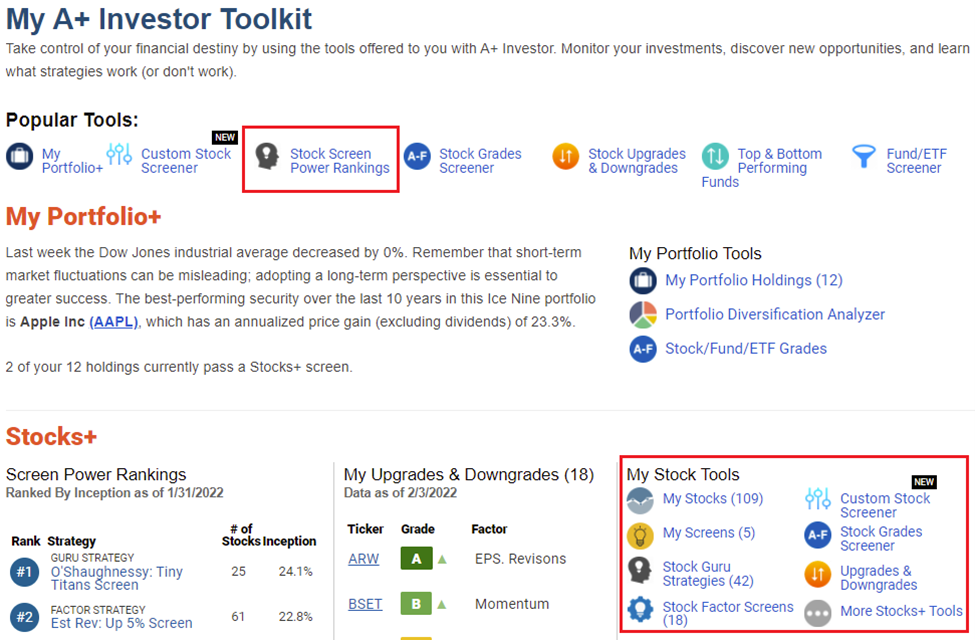
Select the A+ Investor tab from AAII.com to open your A+ Investor Toolkit. You can select a screen from the Stock Screen Power Rankings in the Popular Tools menu, or scroll down to the Stocks+ area where you can click on the guru and factor screen lists on the right in the My Stock Tools section.
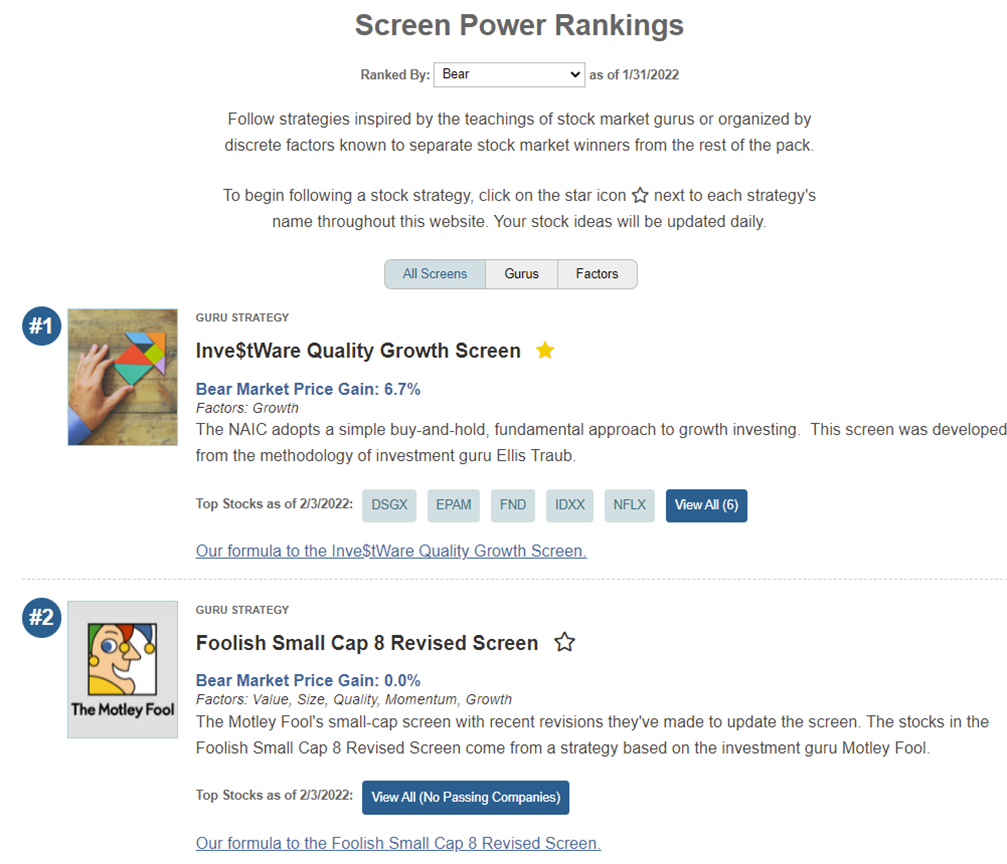
At the Screen Power Rankings page, the screening approaches can be ranked by their performance over select periods of time, such as one year, three years or 10 years, but they can also be ranked by their performance over periods of time distinguished by qualities such as market strength or risk. For instance, you can rank the screens by their performance during the bear market of early 2020 or the succeeding, ongoing bull market.
Screens can also be ranked by risk index and risk-adjusted return. When risk index is chosen, a screen’s volatility relative to the S&P 500 index is highlighted and may give you a new view on a screening strategy or a potential stock investment. New perspectives can lead to new insights.
The Screen Power Rankings are updated daily to give you a regularly generated batch of current stock ideas. As the market shifts from one situation to the next, different strategies may shift from overperformance to underperformance, or vice versa. As the situation changes, so will the daily lists of passing companies.
The list of passing companies is available on a screen’s webpage, accessed by clicking on the screen name from any table. The stocks can be ranked and sorted on a set of data points related to the fundamental principles of the screen’s underlying model. Stocks of interest can then be added to any portfolio you set up in My Portfolio by clicking on the plus sign next to a stock’s ticker.
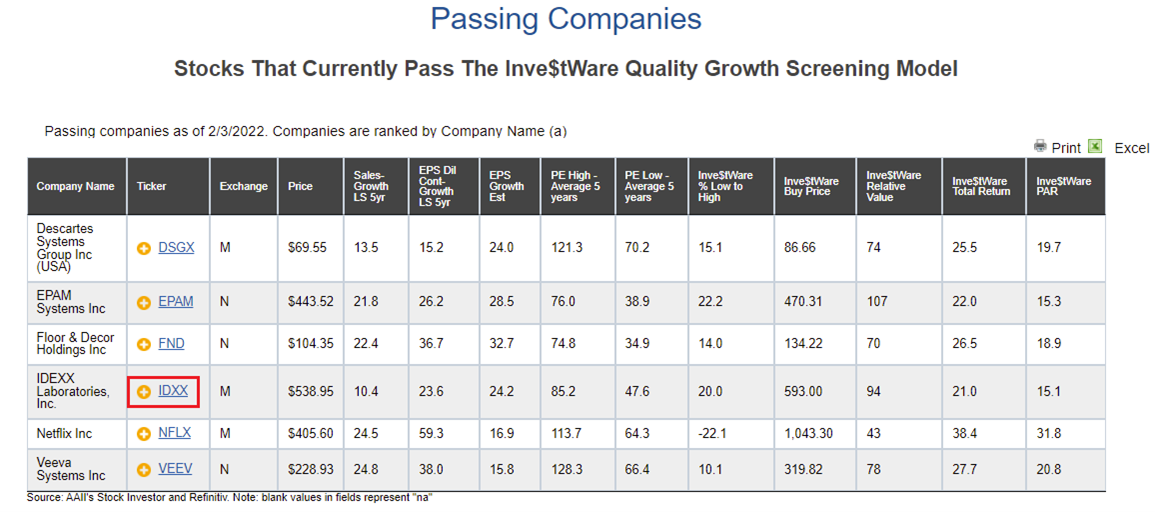
You could even model a stock screen that piques your interest by adding all the stocks from a daily passing list to a custom portfolio and watching its performance going forward. (For a short list of stocks, you can create a portfolio with the first ticker, then go back to the list and add the rest of the tickers individually. For longer lists, simply export to Excel and save the ticker column as a comma-delimited list to copy and paste into a new portfolio.)
For more on the stock screens and the daily lists of passing stocks, be sure to check out the A+ Investor User Guide.

