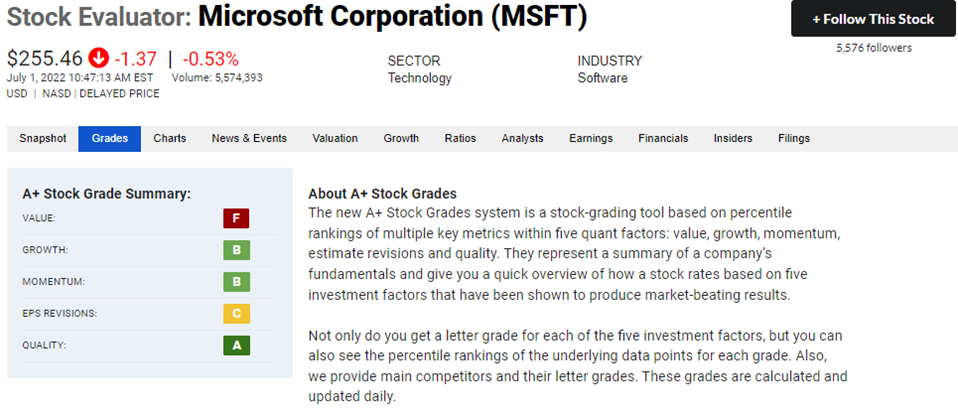
One of the many ways to use the A+ Stock Grades is by examining the daily upgrades and downgrades list from A+ Investor. These lists report on both the entire stock universe and, separately, the stocks you are tracking.
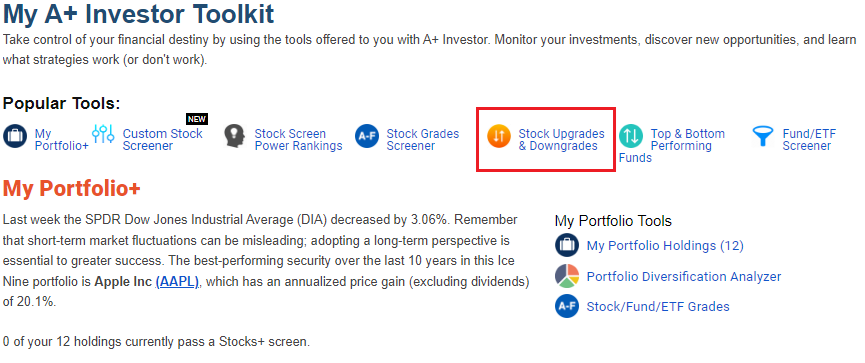
Click on Stock Upgrades & Downgrades on the A+ Investor Toolkit dashboard, under the list of popular tools.
At the Stock Upgrades & Downgrades page, select the My Stocks tab to see a list of those stock holdings in any of your saved portfolios that have seen at least two letter-grade upgrades or downgrades among the five A+ Grades over the last trading day. The individual Upgrades and Downgrades tabs show those stocks that have seen upgrades or downgrades within the entire AAII stock universe. These tables allow you to quickly spot trends between sectors, as the market changes every day based on the most recent news.
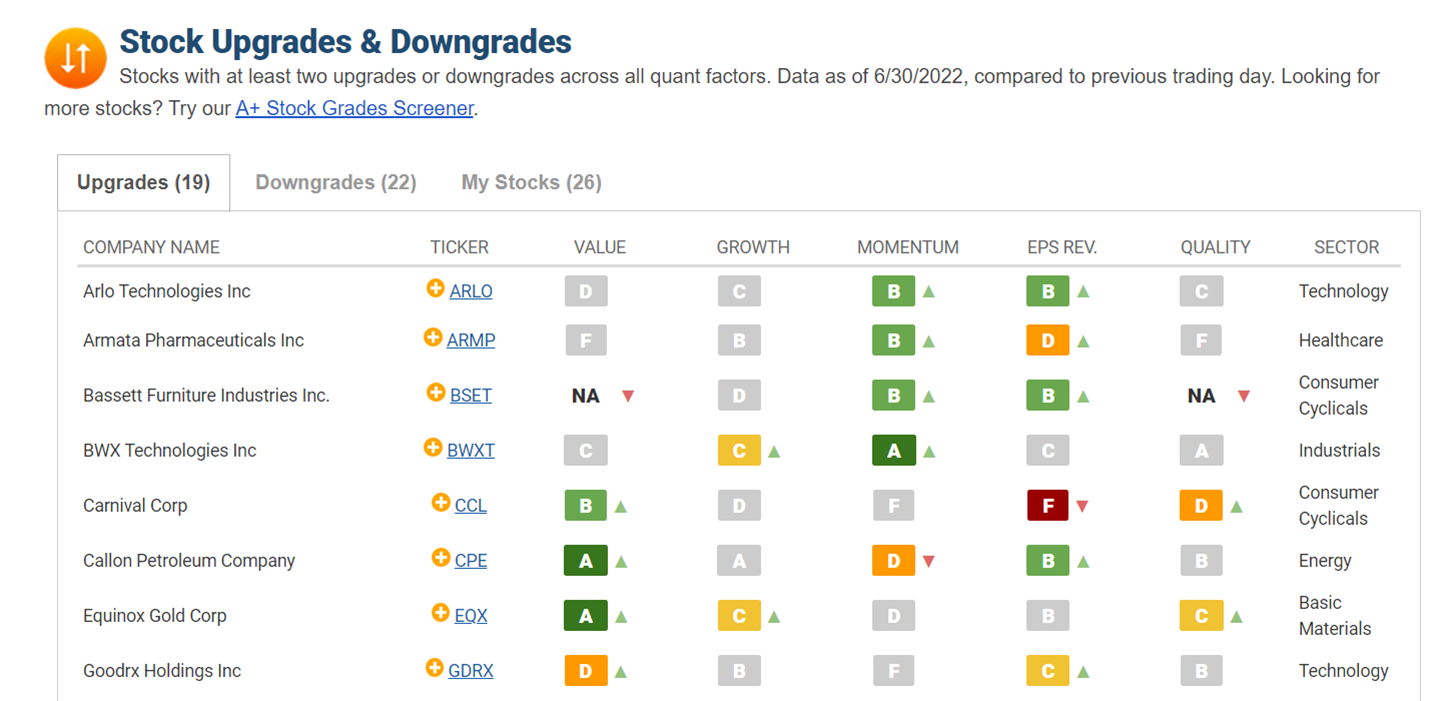
Each ticker is linked to its respective Stock Evaluator page. You can click the yellow “+” sign next to a ticker on these lists, or anywhere on AAII.com, to add the stock to a portfolio of yours in My Portfolio for future tracking.
Following a stock to its Stock Evaluator page allows you to see the background calculations used for each factor grade. Simply click on the Grades tab on the gray bar near the top of the Evaluator page to see what went into assigning the A+ Stock Grades for the company.