The A+ Stock Grades Screener allows you to filter for stocks that have specific stock grades. Stocks are graded A–F on five rating factors: value, growth, momentum, earnings estimate revisions and quality.
These investment factors have been shown to produce market-beating results. The grades based upon the factors summarize a company’s fundamentals and compare them to more than 7,000 stocks using percentile ranking.
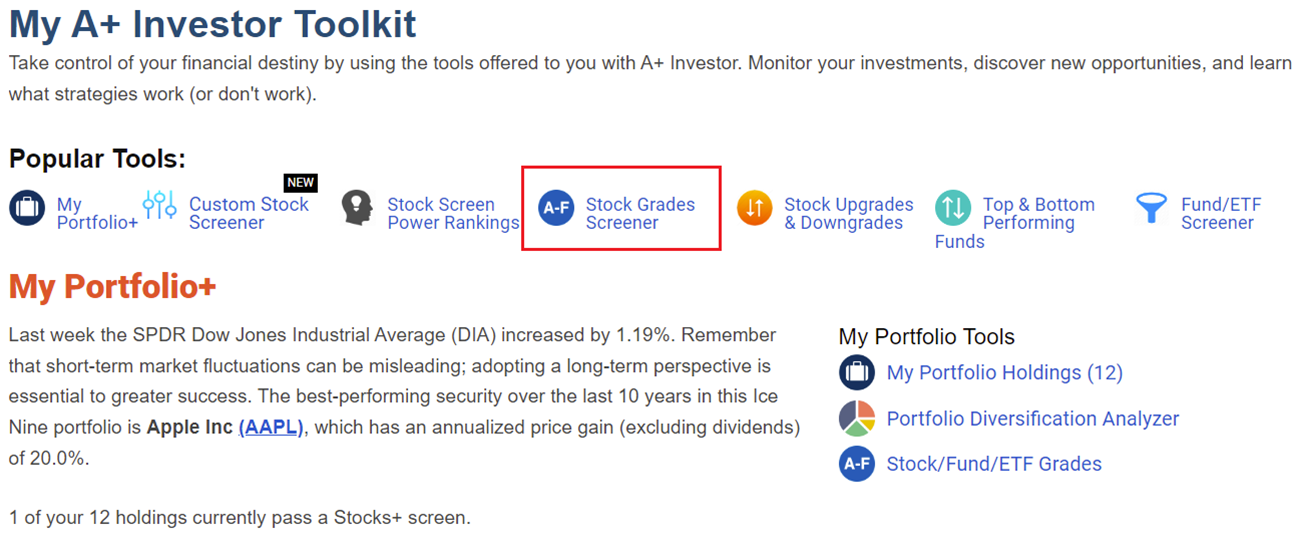
You can access the A+ Stock Grades Screener from the A+ Investor Toolkit dashboard. A link to the screener is at the top of the page under Popular Tools. Grades are calculated and updated daily.
The default universe is all the stocks in the A+ database. Alternatively, you can load any of AAII’s 60+ predefined stock screens or load one of your portfolios from My Portfolio to use as a starting point.
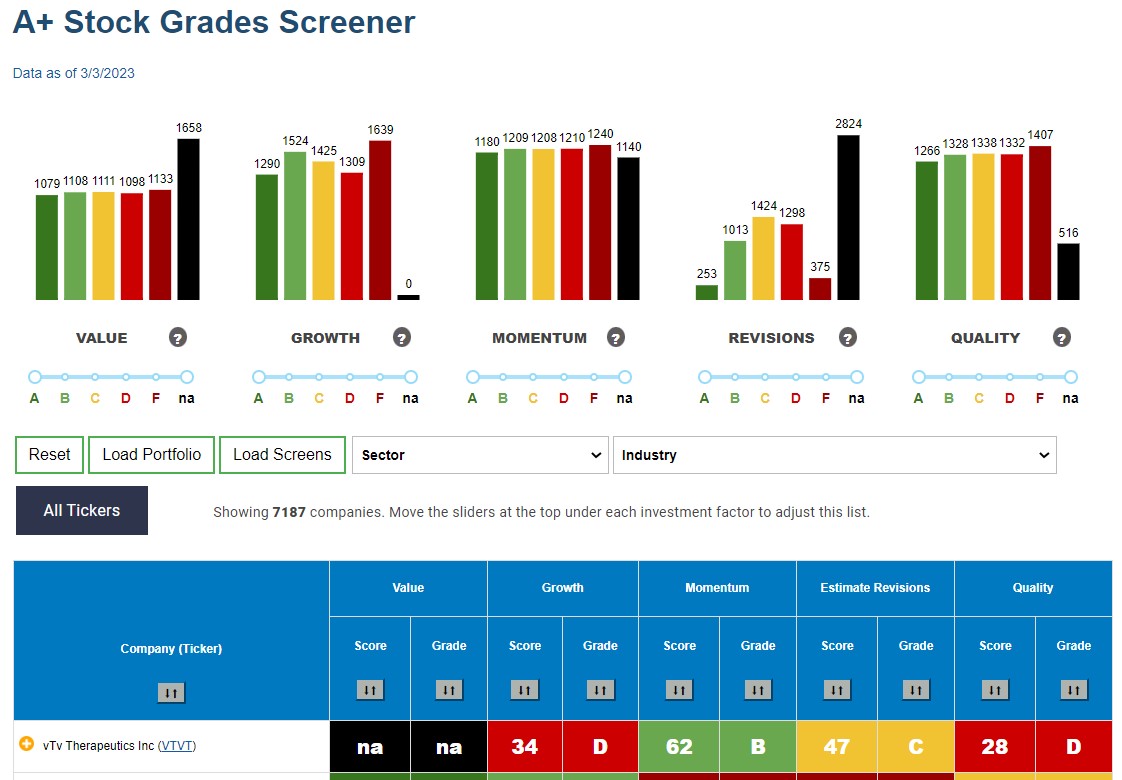
At the top of the A+ Stock Grades Screener, you can see how many stocks in the universe have a specific letter grade for each factor. Sliders under each factor allow you to limit the grades; for example, you can specify a grade of A or B for value or a grade of C for growth.
The table below shows that 119 stocks out of the entire universe of 7,187 have a grade of A or B for all five investment factors based on data as of March 3, 2023. The bars above each factor now tell you how many of the passing stocks have a grade of A and how many have a grade of B for that factor.
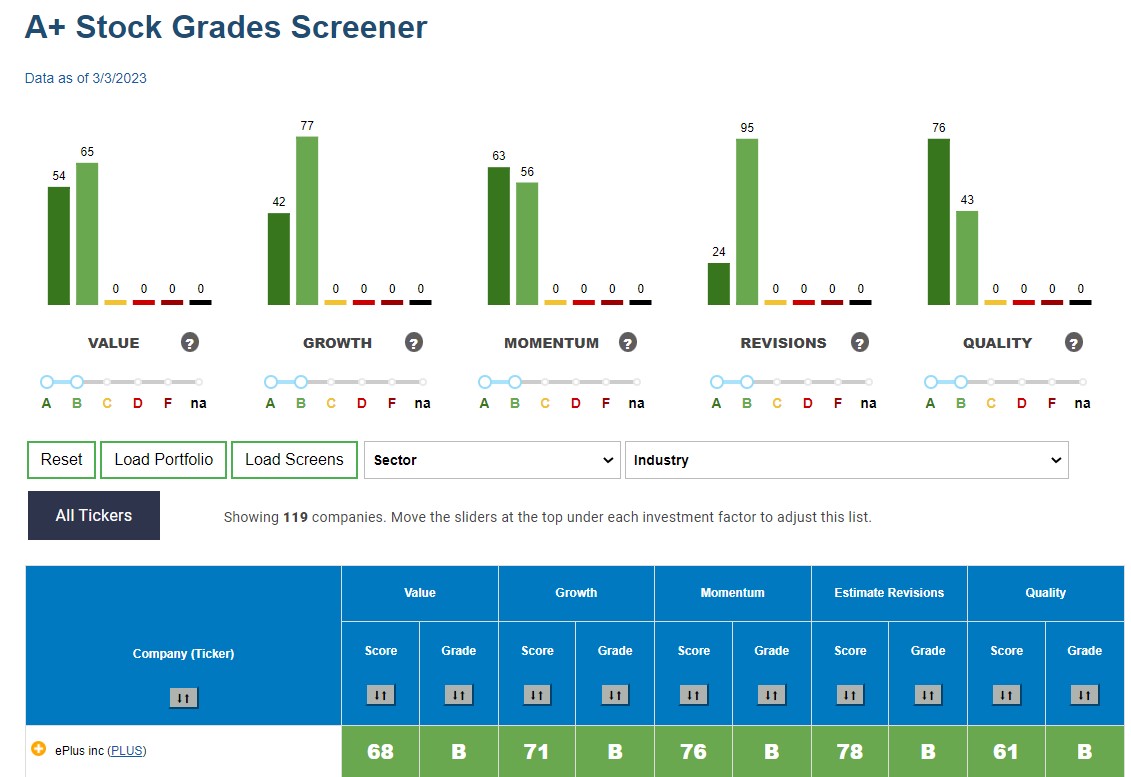
By clicking on the up/down arrow under the column headings, you can sort the table of passing companies by company name or rank the list by any factor score or grade. Clicking on the ticker of a passing company takes you to the Stock Evaluator page for that ticker, for further research.
Screening for particular stock grades allows you to find the types of stocks you are looking for based on specific fundamental factors. You can get more in-depth information on the grades of an individual stock that passes the screen, including underlying metrics, by clicking on the ticker and then selecting the Grades tab on the stock’s evaluator page.

