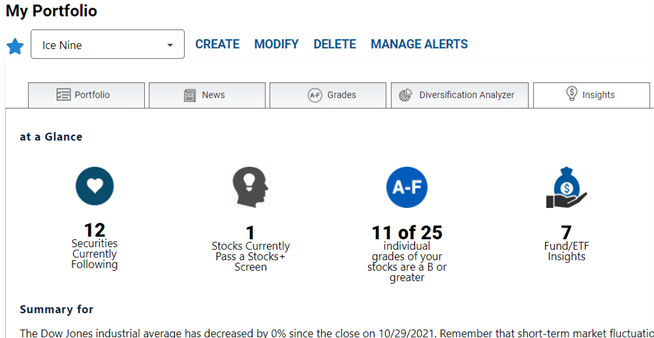
AAII’s portfolio tracker and analyzer, My Portfolio, offers some unique tools to A+ Investor subscribers. To use these tools, you need to first create a portfolio with your holdings. You can create many separate portfolios that track different types of assets—stocks, exchange-traded funds (ETFs) and mutual funds—or make one large portfolio that holds all securities, representing the breadth of your investment portfolio. With My Portfolio you can see each investment’s A+ Grades, making tracking and analysis easy.
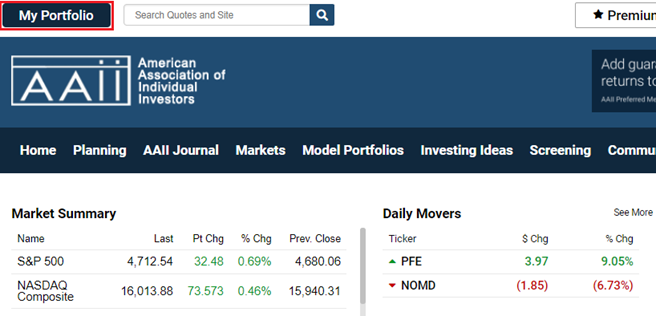
To access My Portfolio, hit the My Portfolio button at the top-left of the AAII website.
If you have not yet created any portfolios within the portfolio tracker, you will receive a message when to Get Started Now. Clicking on the Get Started Now button will provide instructions to follow as you go. There is a link to a detailed Learning My Portfolio as well on the upper right side of My Portfolio.
The first thing to do is name your new portfolio. Then, enter tickers, each separated by a comma. In all, the universe covers the vast majority of stocks traded on U.S. exchanges as well as mutual funds and ETFs issued by U.S. investment companies.
The minimum information you need to enter for a given holding in order to unlock A+ Investor’s unique portfolio analyzer tools is the number of shares you currently own. If you wish to get more detailed performance analysis, enter in the transaction date, purchase price per share and total commission. Dates can be chosen from a pop-up calendar, or you can manually enter them.
A+ Investor subscribers have access to the A–F Grades tab, the Diversification Analyzer tab and the Insights tab. The Grades and Insights tabs specifically allow you to track the grades of the holdings in your portfolios.
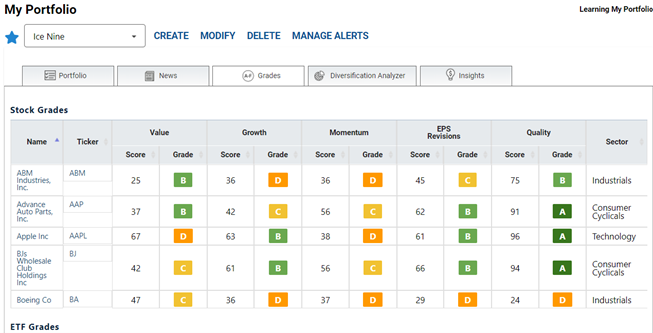
The A–F Grades tab displays Value, Growth, Momentum, Earnings Estimate Revisions and Quality Grades for stocks in your portfolio. For mutual funds and ETFs in your portfolio, grades are displayed for one-year, three-year and five-year returns, expense ratio and category risk. More information about grades and the underlying grading metrics for a security can be found by clicking on the ticker and choosing the Grades tab within the Evaluator.
The Insights tab tells you how many stocks in your portfolio rate a B or better on any of the five A+ Grades. To see fund and ETF insights, select a portfolio that contains mutual funds and/or ETFs from the drop-down menu at the top of the My Portfolio page.