Over the past few months, we’ve been working to simplify and strengthen the AAII investing experience for A+ Investors.
Up until now, accessing different AAII tools and content has required moving between different areas of our website to use our screening tools, analyze stock grades, save AAII Journal articles and track portfolios. With that in mind and based on member feedback, we’ve launched the AAII Investor Hub to bring everything together on one unified platform.
The new online dashboard houses your portfolios, watchlists and research all in one place. More importantly, it gives you investment insights faster and more efficiently.
On a single webpage, you can access AAII’s completely rebuilt My Portfolio+ tracker, your favorite stock screens, your personal library of AAII Journal articles and our brand-new artificial intelligence (AI) chatbot, James.
We rebuilt our popular My Portfolio+ tracking tool from the ground up. It is now more intuitive, with several added features and a new modern look. The new My Portfolio home page in the Investor Hub shows an asset allocation breakdown for each of your portfolios. This allows you to assess your overall allocation at a high level.
If you previously created one or more portfolios in the legacy My Portfolio+ tool, you can immediately start using the new My Portfolio+. All of your existing portfolios have been transferred over. If you haven’t set up a portfolio or watchlist on AAII.com, you can easily do so by selecting My Portfolio in the Investor Hub, then clicking the Create Portfolio button.
In response to member feedback, we added the ability to import holdings—including the number of shares and purchase lots—from your brokerage or mutual fund account via a CSV spreadsheet file. (We are in the process of adding full integration with brokerage accounts.)
To import your holdings:
If you don’t have a CSV file to upload, you can still enter tickers manually to set up a portfolio.
When you select one of your portfolios in the Investor Hub, the My Default view allows you to judge the performance of your individual holdings and their weight in the portfolio. Several new views have been added as well. To change the view, open the View drop-down menu on the left above the portfolio holdings table.
The Shadow view provides valuation, market capitalization and relative strength data for the stocks in your portfolio, just like we show for the Model Shadow Stock Portfolio holdings.
If you subscribe to one or more of our premium model portfolios—Dividend Investing, Growth Investing, Stock Superstars Report (SSR) or VMQ Stocks—or are an AAII Platinum subscriber with access to all four, you can see customized views featuring the criteria used for these portfolios.
The Investor Hub allows you to remove specific columns to narrow down the information displayed in portfolio tables; simply click the Columns drop-down menu to deselect data.
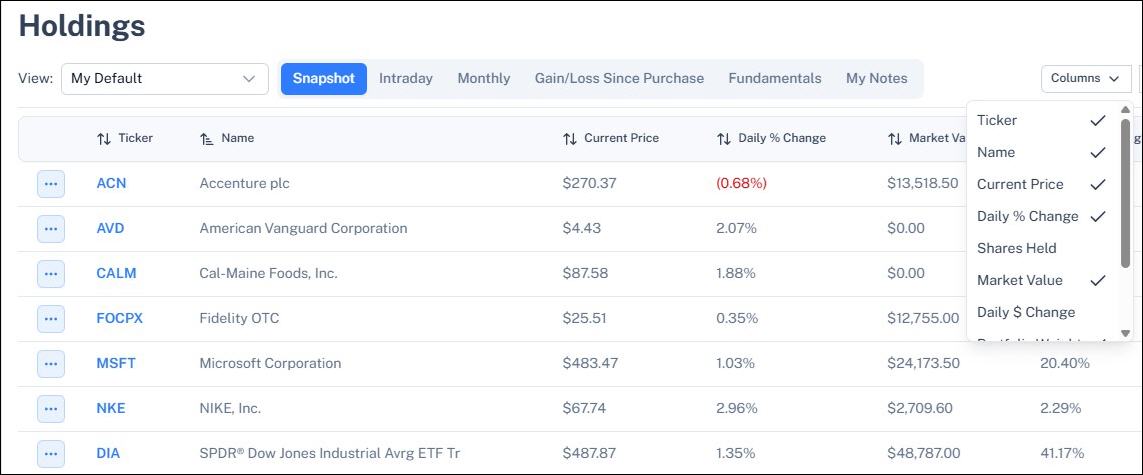
Price alerts on the portfolios of your choice remain available. A+ Investor subscribers can continue to receive daily A+ Stock Grade Alerts and weekly A+ Insights on their portfolios.
We’ve integrated key features of the AAII Stock Screens into the AAII Investor Hub. This makes it easy to go from reviewing your portfolios to finding potential new investment ideas.
You can access your favorite stock screens by clicking AAII Stock Screens on the Investor Hub’s left-hand menu and then selecting My Screens. This will show the returns for each of the screens you are tracking and the types of stocks each screen finds (value, growth, yield, etc.). The Stocks Passing My Screens tab shows you the current stocks passing each of your favorited screens.
If you haven’t favorited a screen yet, doing so is easy. Simply click on the star located to the left of any screen’s name either on the All Screens page of the Investor Hub or on the AAII Stock Screens page of AAII.com.
The My Screens page also has a tab showing you which of the stocks held in your portfolio(s) currently pass a stock screen. This is useful for determining whether a stock remains attractive and, if so, which factors are making it attractive.
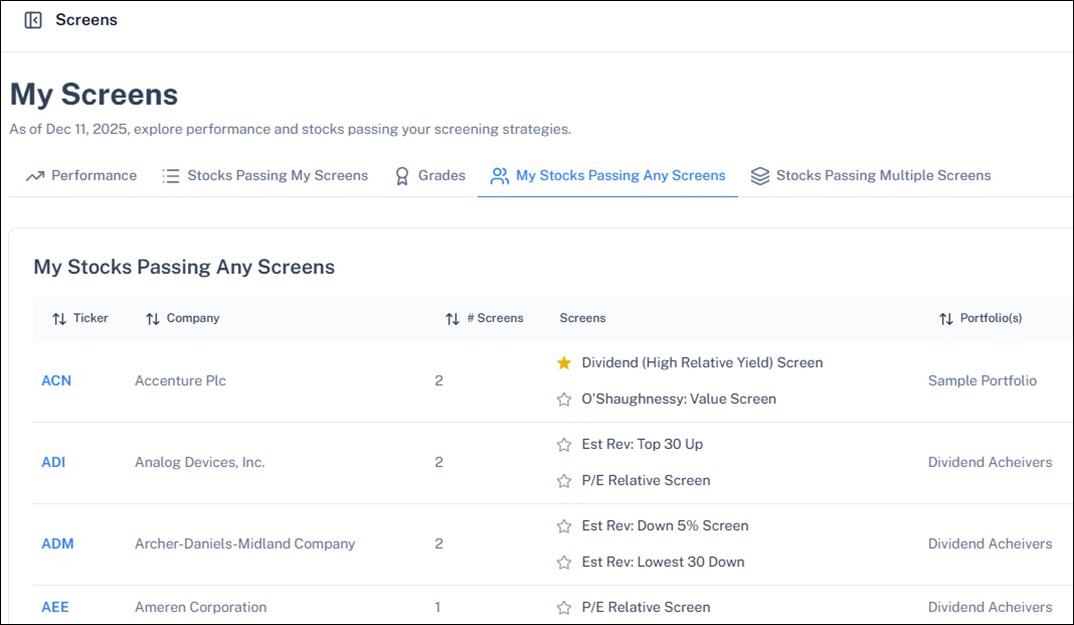
Want more ideas? The Stocks Passing Multiple Screens tab shows you which stocks in the entire universe are currently passing two or more AAII Stock Screens. It is a great way to find potential all-star stocks. Ideally, the group of screening approaches passed by a stock is diverse enough to capture unique, yet desirable qualities.
Once you find a stock you are interested in, you can add it directly to a portfolio or watchlist by clicking on the stock’s ticker symbol and then selecting Follow This Stock from the stock’s Evaluator page.
Our brand new chatbot, James, combines AI with AAII’s comprehensive database and knowledge base to give you unbiased information.
The Ask James feature makes managing your portfolio easier. It quickly provides insights and analysis about the investments in your portfolio. For example, you can ask the chatbot how attractive your stocks are based on AAII’s valuation, growth and quality metrics. Alternatively, you can ask for a list of stock screens that your holdings are currently passing, have recently started passing or have recently stopped passing.
The AI chatbot is accessed anywhere on the Investor Hub by clicking on the small picture of AAII founder James Cloonan in the bottom-right corner.
To get answers about stocks held in a specific portfolio, go to that portfolio in the Investor Hub first and then open the Ask James feature. Predefined questions for the chatbot can be viewed by clicking on the “+” sign in the chat window. You can also type in your own questions.
We are quickly expanding the AAII content and data the chatbot is trained on to make it even more useful. Give it a try.
Did you know you can save AAII Journal articles for future reference? Say you want to save the January 2026 AAII Journal article “Inside the Wanger Revised Screen’s 2025 Outperformance” for future reference. Simply click on the Save ribbon icon located on the left-hand side of the article.

Articles you have saved can then be viewed in two places on the Investor Hub.
My Library not only lists your favorited articles, but it also allows you to create separate folders should you want to group those articles by topic or date.
As an extra feature, we’ve included the ability to customize the display of the Investor Hub. Clicking on your name in the upper-left corner of the Investor Hub will reveal a drop-down menu with customization options.
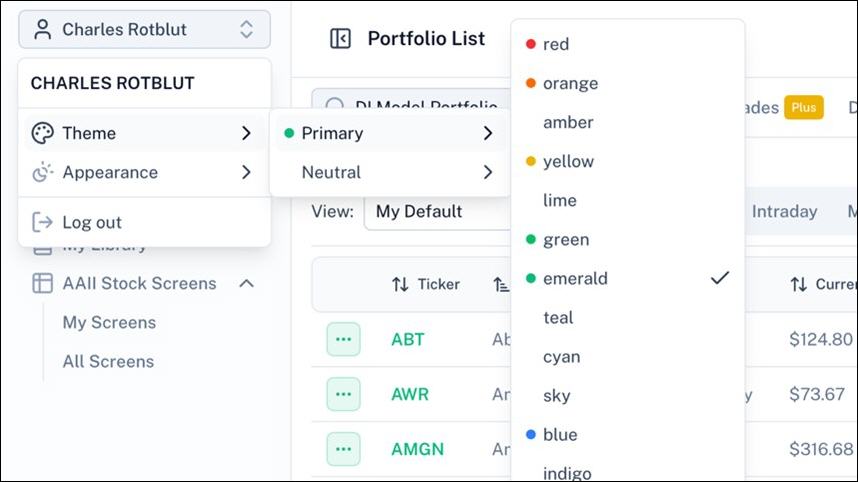
Selecting Appearance gives you the option to choose between light and dark backgrounds.
Selecting Theme allows you to adjust the color scheme of the site in two different ways.
The Investor Hub features highlighted here are just the beginning. Additional features and capabilities are being added to make the Investor Hub even more useful to A+ Investors like you. Select Roadmap at the bottom of the left-hand navigation menu to stay current with upcoming enhancements.
If you have any questions or need assistance with navigating these new features, please reach out to us at members@aaii.com or visit our Customer Support page.

